Pending Credit Reports
The following reporting options will allow you to pull 'Pending Credit' information.
NOTE: All credit reports will display 'Claimed/Awarded' credit by default and 'Pending' credit will be excluded unless you specifically filter to include 'Pending' credit.
OPTION 1: Reports > People > Credit Reports > Credits Report
NOTE: This report is good for Activities users have Pre-Registered for.
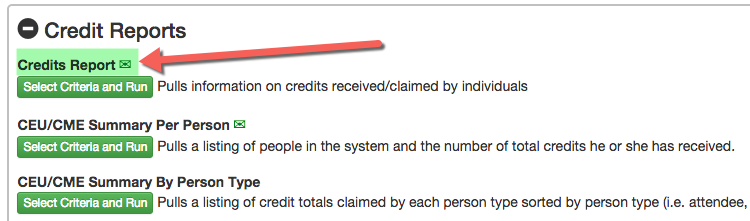
STEP 1 - Select Filter Options > narrow down your results by person or Registered participants of an Activity.
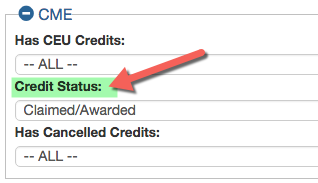
Under the 'CME' section there is a 'Credit Status' filter. It will pull 'Claimed/Awarded' credit by default. Change the status to 'Pending' and pull a list of anyone with Pending Credit.
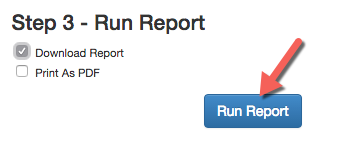
STEP 3 - Run Report > Select the 'Download Report' option to pull the report in .CSV format and click 'Run Report'
OPTION 2: Reports > Sessions > CME Reports > Credits By Session
NOTE: This report is good for RSS Sessions
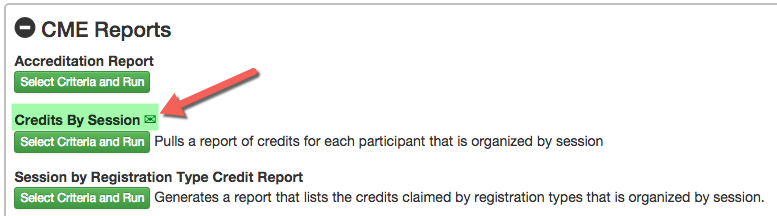
STEP 1 - Select Filter Options > narrow down your results by Activity or Session
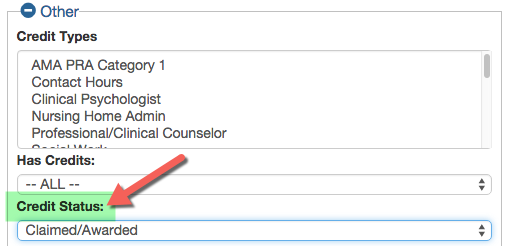
Under the 'CME' section there is a 'Credit Status' filter. It will pull 'Claimed/Awarded' credit by default. Change the status to 'Pending' and pull a list of anyone with Pending Credit.
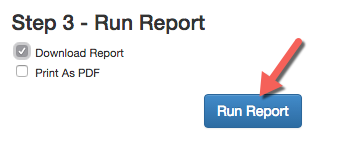
STEP 3 - Run Report > Select the 'Download Report' option to pull the report in .CSV format and click 'Run Report'
The results will display on the screen. Pending Credits are indicated with an asterisk (*)
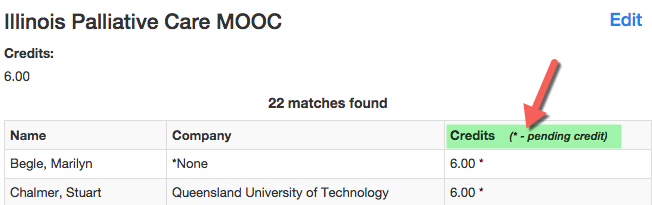
BEST PRACTICES - use this report to send an email to users with 'Pending' credit and remind them to complete their Session Evaluation or Post-Test.
Related Articles
Credit Reports
1. Activity Awarded Credit Summary (Activity must be selected): This report gives a list of people and the credits earned by them for the entire Activity People > Credit Reports > Activity Awarded Credit Summary 2. Credits Report: Use this report to ...People - Credits- Activity Awarded Credit Summary Report
The 'Activity Awarded Credit Summary' report will provide the total number of credits each participant earns for a specific Activity. NOTE: this report does not include 'Pending' credits Before you can run this report, you must select the appropriate ...New Reports Menu
Run Report Reports > Run Report Run Report is used to generate reports on HghMarksCE. All the report options are displayed in tabs titled as per their report outcomes. Saved Reports:List of reports generated and saved for further use. Reports saved ...Checking in Attendees by Coordinators or back end Admin to Add Credits in Pending Mode
The Admin can provide the Activity Coordinators with Attendance rights that enable them to check-in attendees with credits added to their account. Note: Use this link when it is mandatory for the the attendees to complete their post tests and ...How to Get Roster/Attendance and Credits Reports and Send Mass Email
Reports available for sending a Mass Email are indicated with an email icon. To get list of registrants for EM - Go to Reports>People> Person Reports> Session Roster To get list of people received Credits - Go to Reports> People>Credit Reports> ...