How to Get Roster/Attendance and Credits Reports and Send Mass Email
Reports available for sending a Mass Email are indicated with an email icon.
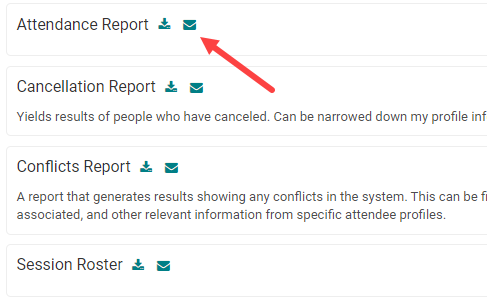
To get list of registrants for EM - Go to Reports>People> Person Reports> Session Roster
To get list of people received Credits - Go to Reports> People>Credit Reports> Credits by Session and then filter for the particular session
OR
Go to Reports> Sessions>Credit Reports> Credits by Session and then filter for the particular session
OR
Go to Reports> Sessions>Credit Reports> Credits by Session and then filter for the particular session
In the top-right corner of the report results screen, click on the 'Send Email' button

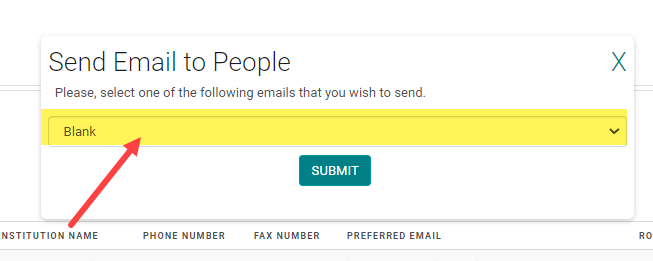
Select the Email Template you want to send from the drop-down list, or select 'Blank' to create an email on the fly. Then, click 'Submit'
Review the Email Template and list of Recipients before clicking 'Send'
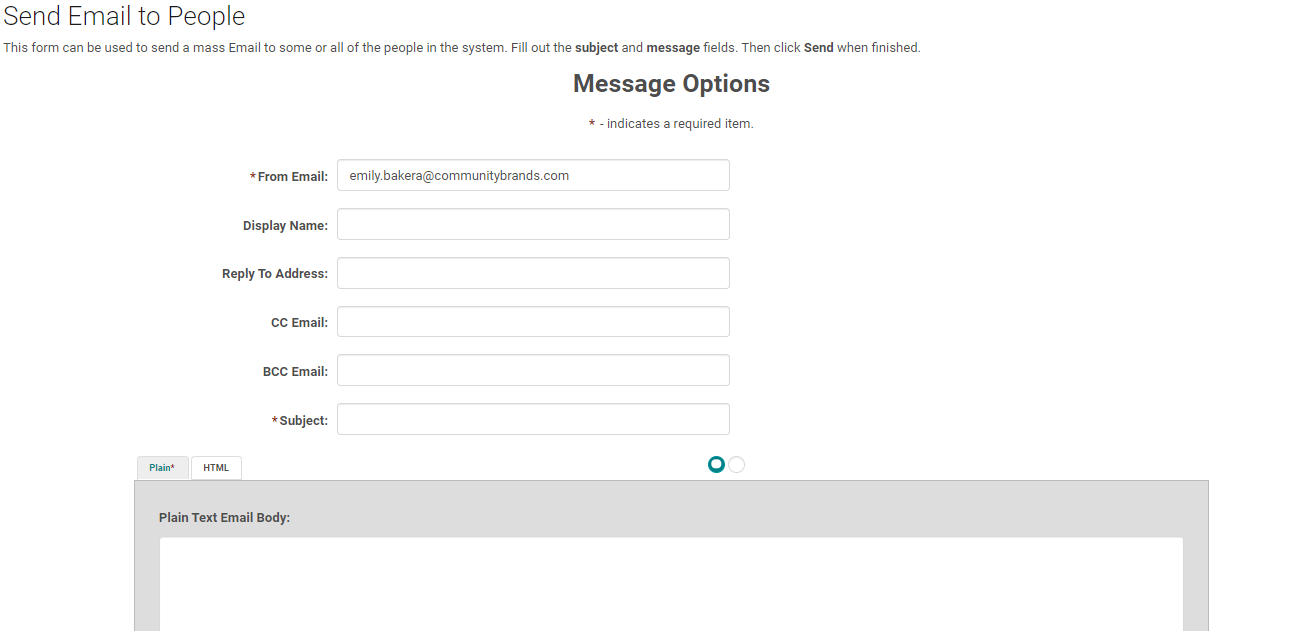
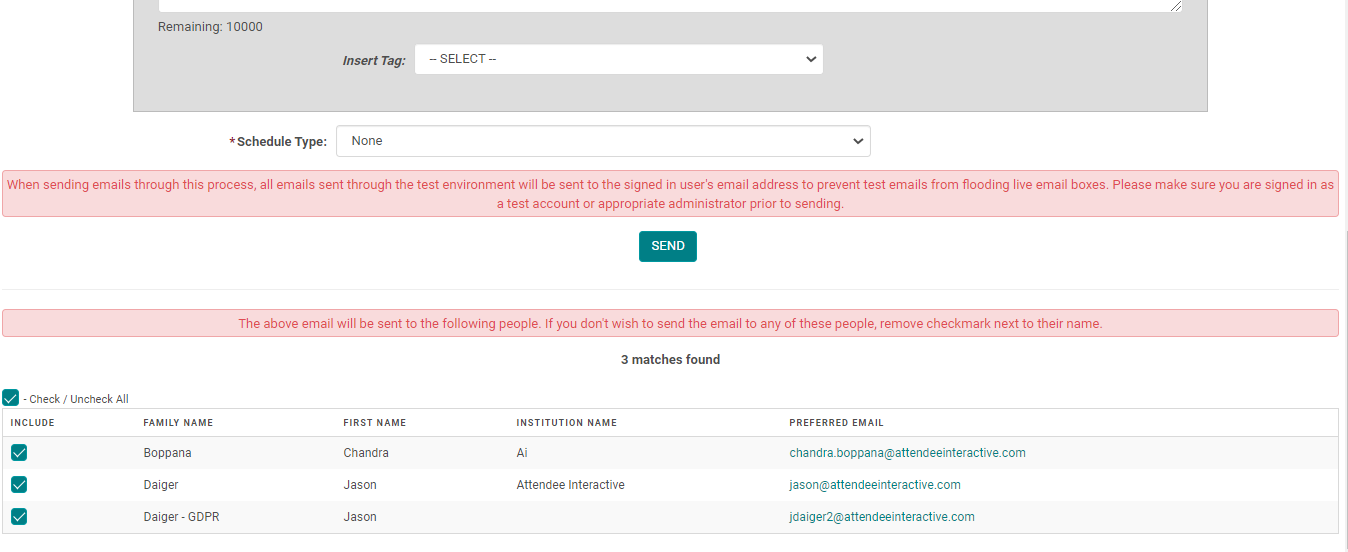
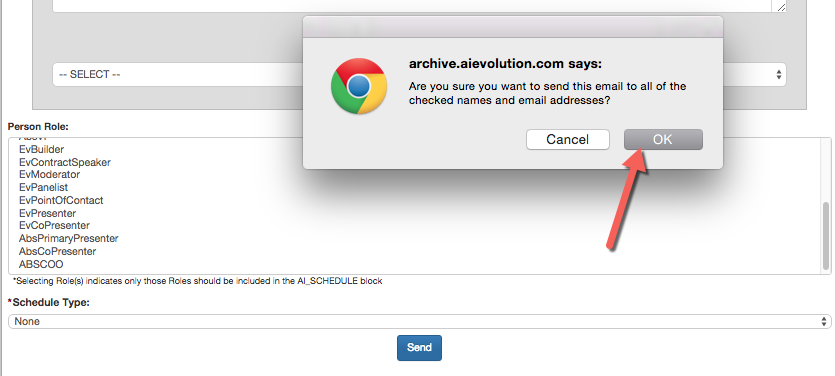
Click 'OK' in the pop-up notification to send the email
To get list of registrants for EM
Go to Reports>People> Person Reports> Session Roster
To get list of people received Credits
Go to Reports> People>Credit Reports> Credits by Session and then filter for the particular session
OR
Go to Reports> Sessions>Credit Reports> Credits by Session and then filter for the particular session
OR
Go to Reports> Sessions>Credit Reports> Credits by Session and then filter for the particular session
Related Articles
How to Get Roster/Attendance and Credits Reports and Send Mass Email
Reports available for sending a Mass Email are indicated with an email icon. To get list of registrants for EM - Go to Reports>People> Person Reports> Session Roster To get list of people received Credits - Go to Reports> People>Credit Reports> ...Running Session Attendance Credits Report in Excel
Select the Activity in the Switcher Go to Reports and select Sessions Under CE/CME Reports, select Credits by Session OPTIONAL: Type a portion of the title into the “Title:” field under Primary OPTIONAL: Expand the “Dates/Location” section and for ...Send an Email to an Individual Person
This feature allows you to send an email to an individual person. See related articles for sending mass emails from reports. Go to People > use the search box or click on 'Advanced Search' to find the person you want to send an email to From the ...Send an Email to an Individual Person
This feature allows you to send an email to an individual person. See related articles for sending mass emails from reports. Go to People > use the search box or click on 'Advanced Search' to find the person you want to send an email to From the ...How to send Session Link for private Enduring Materials
If you want Enduring Materials sessions to to be accessed by a specific group of people, you could send them the Enduring Material Session URL via Email. The URL directs the users to the Enduring Materials' session where they get to view the material ...