Inactivate a Person
NOTE: You can only Inactivate a Person if they are not assigned to any content or functionality in the system. If you do not see the 'Status' field option, use the 'Remove Person' option to cancel the person (see related article).
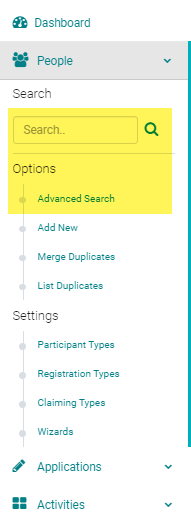
Go to People > use the search box or 'Advanced Search' to find the person you want to inactivate
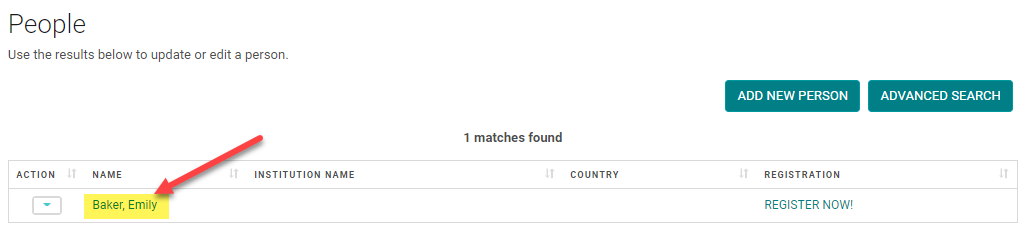
Click on the Name of the person,
Scroll to the bottom of the screen, change the 'Status' field to 'Inactive', and click 'Save'
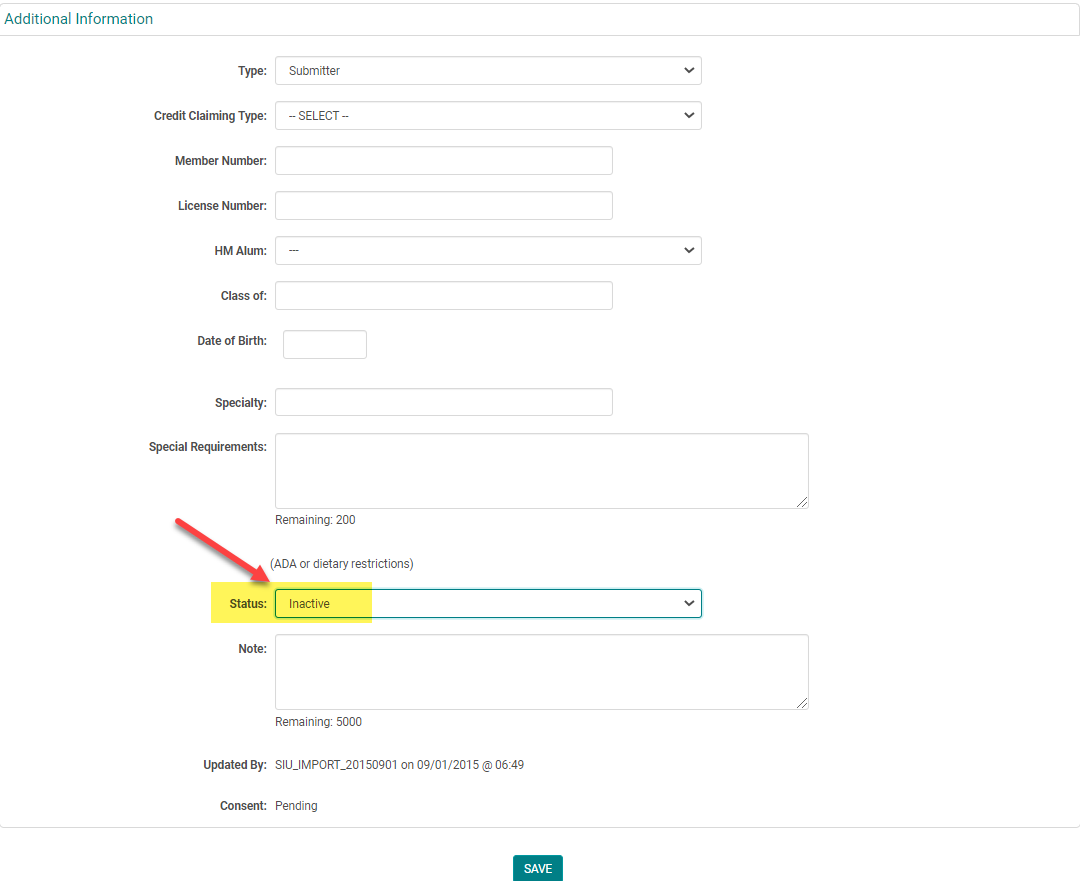
NOTE: You can still search for Status = Inactive people using the People > 'Advanced Search' option
Related Articles
Remove/Cancel a Person
NOTE: The 'Remove Person' option only shows up when a person is assigned to content or functionality in the system. If you do not see the 'Remove Person' option, you can Inactivate the person (See the 'Inactivating a Person' article) Go to People > ...Maximum Credit Person Person
Maximum Credit Per Person - This field is available on the Activity Information page. This setting is used to control the number of credits that an attendee is claimed. Example: The Activity is approved for a total of 5 credit hours. This Activity ...Add a New Person
Go to People > Add New Complete the required fields, any additional information, and click 'Save' NOTE: You do not need to enter a 'Username' or 'Password', the system will automatically create one when you click 'Save' Type = Role of the Person. Eg. ...Send an Email to an Individual Person
This feature allows you to send an email to an individual person. See related articles for sending mass emails from reports. Go to People > use the search box or click on 'Advanced Search' to find the person you want to send an email to From the ...Send an Email to an Individual Person
This feature allows you to send an email to an individual person. See related articles for sending mass emails from reports. Go to People > use the search box or click on 'Advanced Search' to find the person you want to send an email to From the ...