Event/Session Type
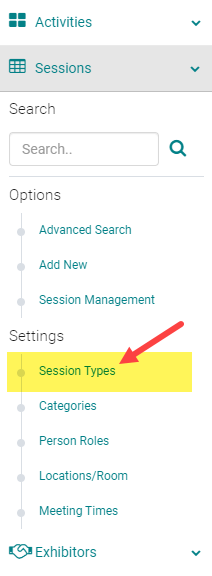
To add or edit an Event/Session Type, go to Sessions (or Events) and click on 'Session Types' (or Event Types)
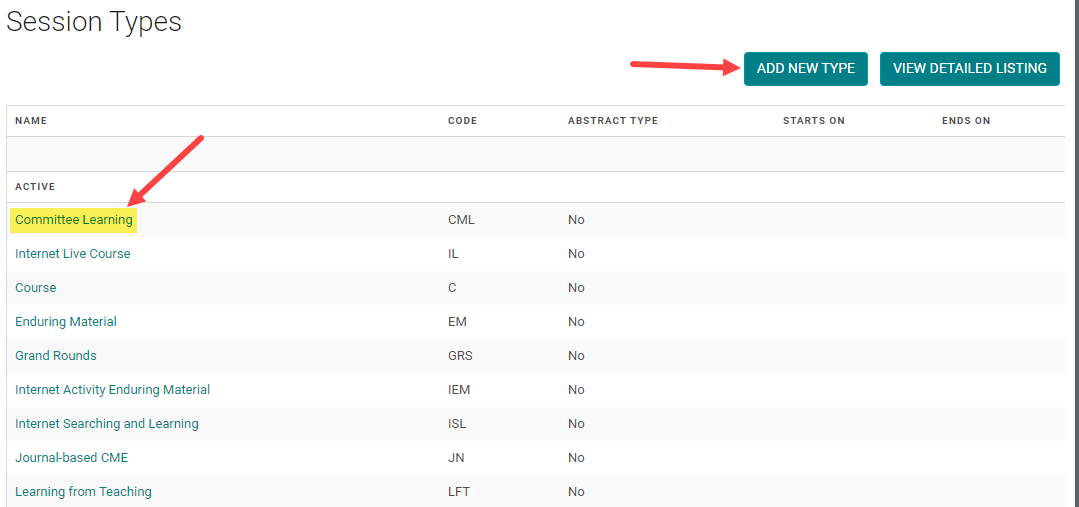
To edit an existing Type, click on the name of the Type. Or, click on the 'Add New Type'
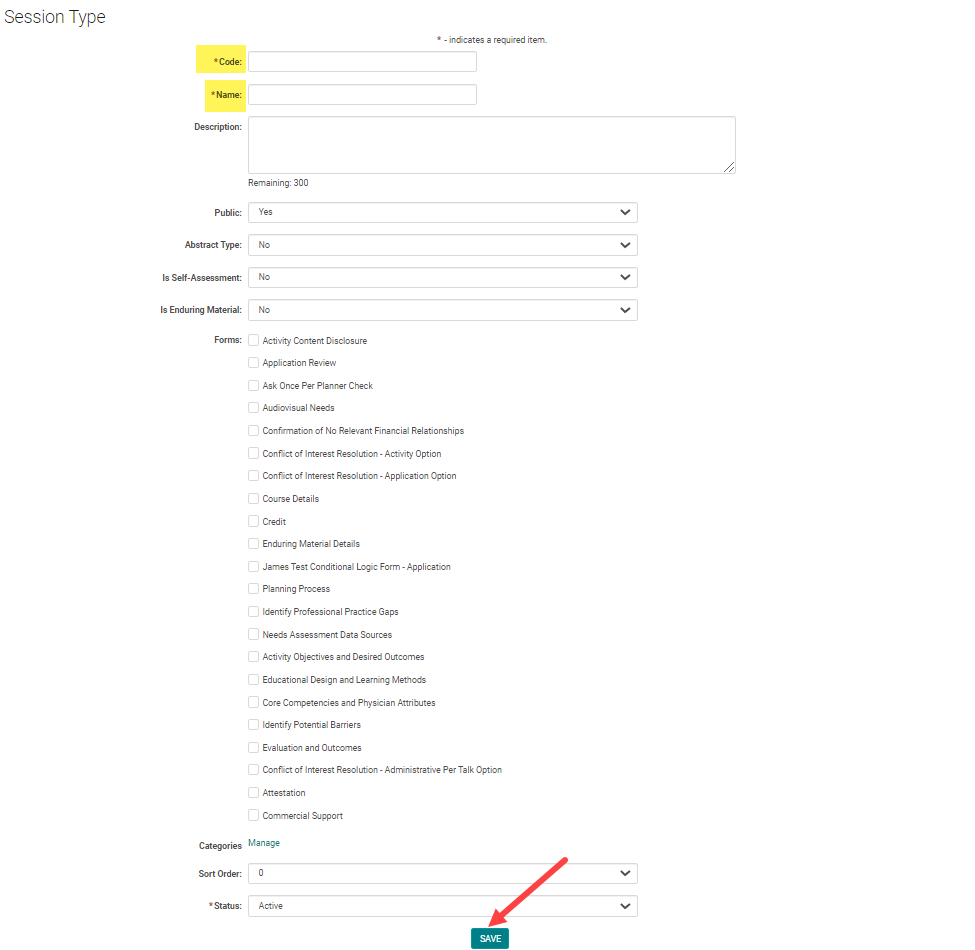
Complete the required fields and click 'Save'
Note: Make sure 'Abstract Type' is set to 'No'
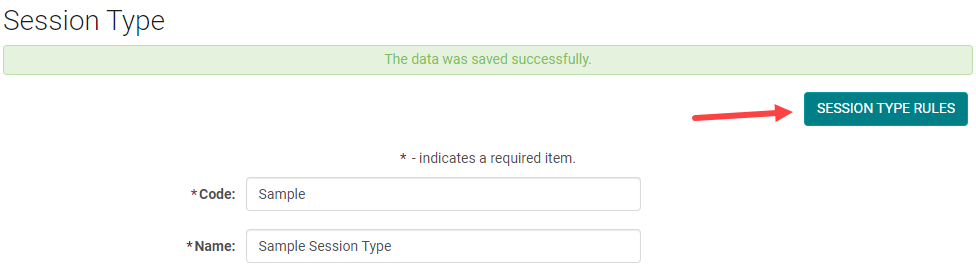
NEXT STEP - Add Event/Session Type Rules
Before you can assign people to Roles, you must set up Event/Session Type Rules
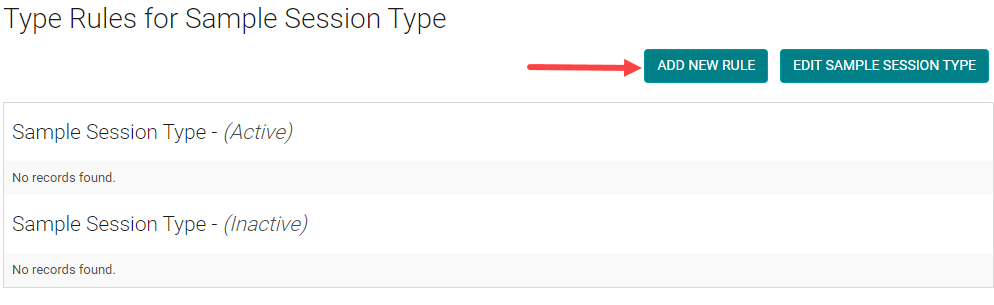
Click on the 'Add New Rule' button
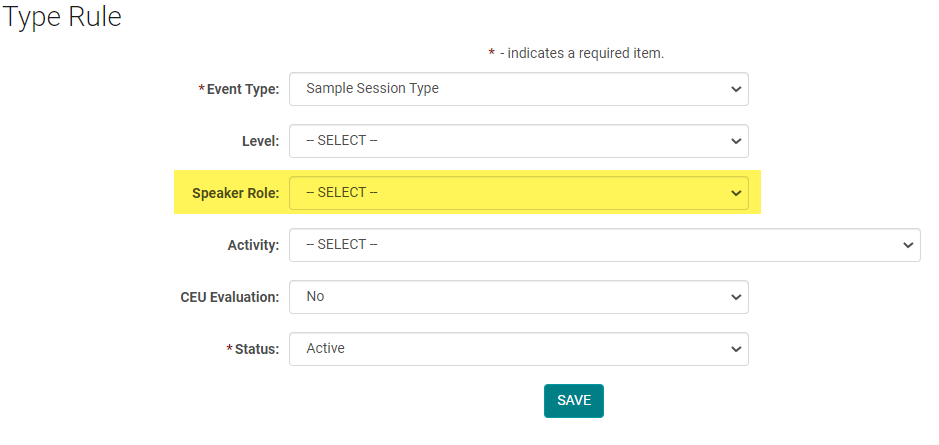
Select the Speaker Role from the drop-down and click 'Save'.
NOTE: If you are using the CE/CME module, you can mark the Role as CEU Evaluation = Yes if you want the Role to be evaluated when users claim credit.
Continue to add as many Event/Session Type Rules, as needed.
Related Articles
Add New Session/Event
Note: Prior to adding a Session you need to add the Activity. Select the Activity you want to add a new Session/Event to using the Activity Switcher Go to Sessions (or Events) and click 'Add New' Field Definitions: Type = Select the type of the ...Activity Types vs. Event/Session Types
Activity Type = Valid ACCME PARS activity formats (Course, Regularly Scheduled Series, Internet Live Course, Enduring Material, Internet Activity Enduring Material, Journal-based CME, Manuscript Review, Test Item Writing, Committee Learning, ...View Detailed Listing of Event/Session Roles and Rules
To see all Event/Session Types and associated Roles, go to Events/Sessions > click on 'Event/Session Types' Click on the 'View Detailed Listing' button The listing will be separated by Event/Session Type. Click on a Role 'Code' or 'Name' to edit ...Creating Event/Session and Speaker Evaluation Forms
Go to Settings > Forms Click the 'Add New Form' button From the 'Type' drop-down list, select 'Session Evaluation' Complete the following fields: Name = Form name that will appear on the website for users to complete Required = Yes Speaker Ask Once = ...Allowing Claiming Type add a Partial Credit
This setting only works if the end user is allowed to self-claim credits for Events/Sessions. The user will have the option to adjust their credit by .25 hour/credit intervals (up to the full amount allowed for the Event/Session) if they did not ...