Allowing Claiming Type add a Partial Credit
This setting only works if the end user is allowed to self-claim credits for Events/Sessions. The user will have the option to adjust their credit by .25 hour/credit intervals (up to the full amount allowed for the Event/Session) if they did not attend the full Event/Session.
Partial Credit Configuration
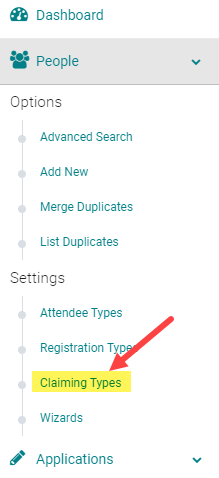
To configure this option in your system, go to People > Claiming Types
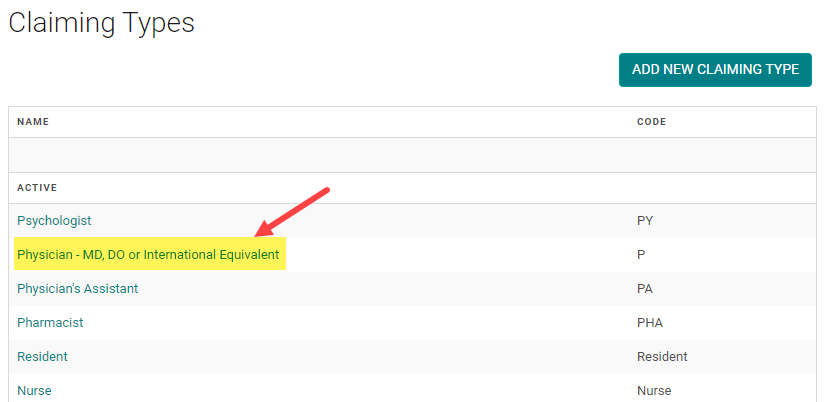
Click on the Name of the Claiming Type allowed to enter partial credit for an Event/Session
Select 'Partial Credit Allowed = Yes' and click 'Save' 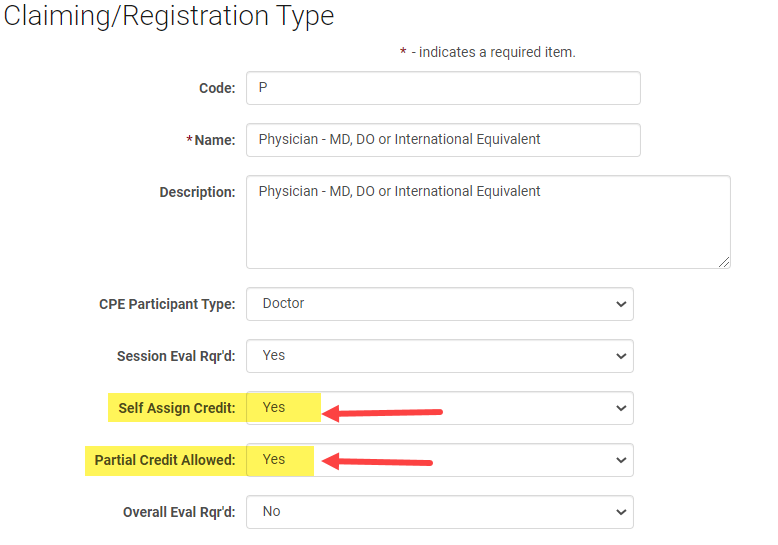
Example of Partial Credit Option
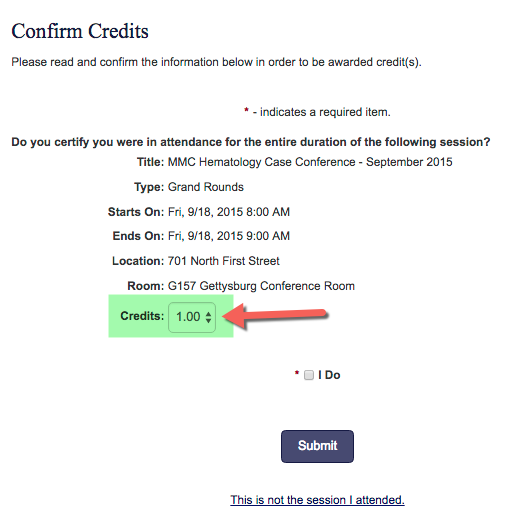
Once configured, users will have the option to adjust the credit issued when they go to the 'My Credits' page, search for the Event/Session, and click on 'Add Credit'
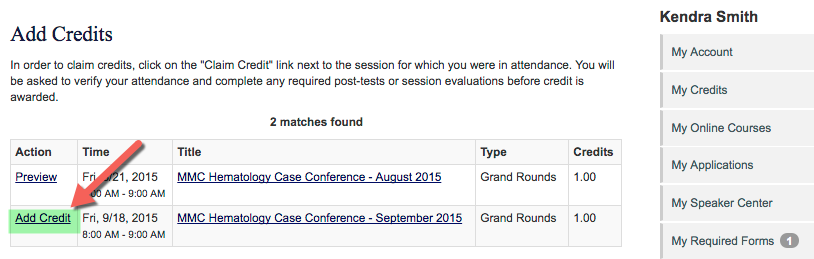
A 'Credits' drop-down option will be available to adjust the credit accordingly
Related Articles
Allowing Claiming Type add a Partial Credit
This setting only works if the end user is allowed to self-claim credits for Events/Sessions. The user will have the option to adjust their credit by .25 hour/credit intervals (up to the full amount allowed for the Event/Session) if they did not ...Activity, Session and Claiming type Evaluations
ACTIVITY INFO PAGE Activity Overall Evaluation: Activity Overall Evaluation is one single evaluation that is available through out the activity. The way it works is, when there is a single session running for three days, the Activity Overall ...Activity, Session and Claiming type Evaluations
ACTIVITY INFO PAGE Activity Overall Evaluation: Activity Overall Evaluation is one single evaluation that is available through out the activity. The way it works is, when there is a single session running for three days, the Activity Overall ...How to Setup Credit Claiming Deadlines for Courses
To open and close credit claiming for an Activity, add or edit the View CME /My Credits Deadline. Step 1: Use the Activity 'Switch' or go to Activities > use the text search option or 'Advanced Search' Step 2: Click on the Name of the Activity Step ...Claiming Permissions/Product Set up
Claiming Permissions are useful when you want to restrict claiming to specific sessions. Claiming permissions are entered on the product page. You can add as many Registration products as you want and set different claiming permissions on each ...