CV / Document Upload Reports by Person
There are two reports you can run to find out the status of My Account - CV/Document Uploads:
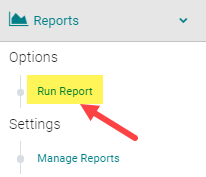
Go to Reports > People

Click on the 'Documents Reports' section and select one of the two highlighted reports
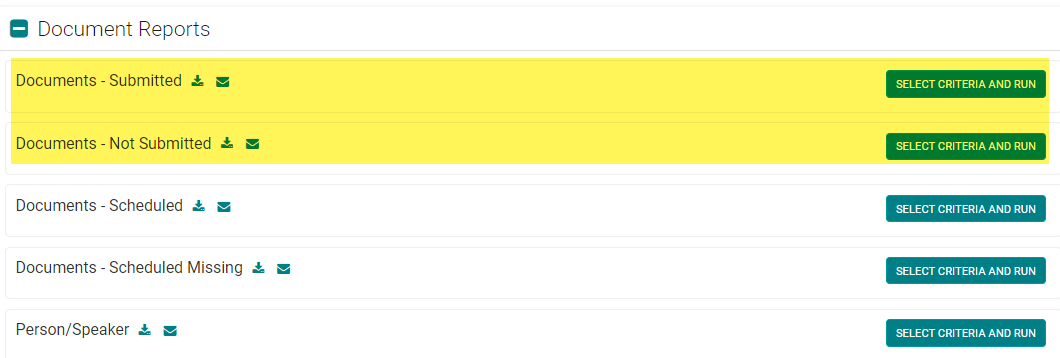
OPTION 1: Documents - Submitted
This report will list who uploaded a CV/Document with the corresponding file name hyperlinked to download and review.
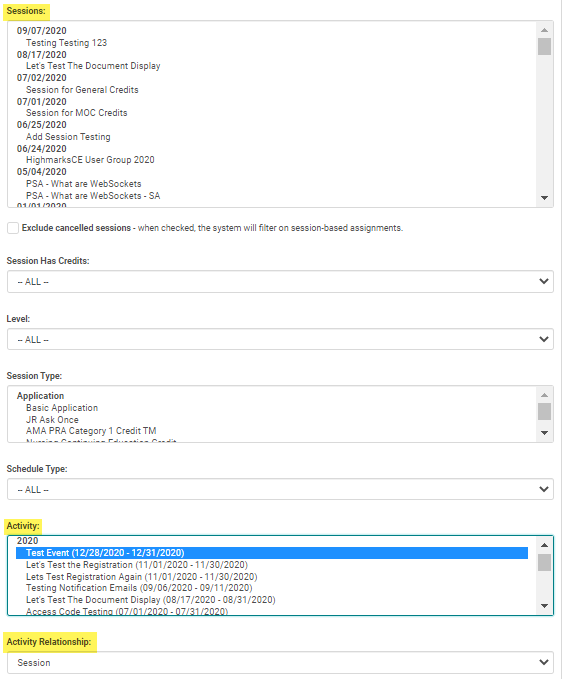
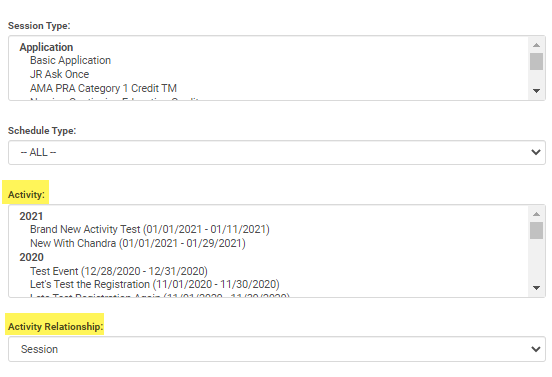
NOTE: Be sure to filter by Activity or Event/Session
OPTION 2: Documents - Not Submitted
This report will list who has NOT uploaded a CV/Document. Use the 'Send Email' option to send a reminder.
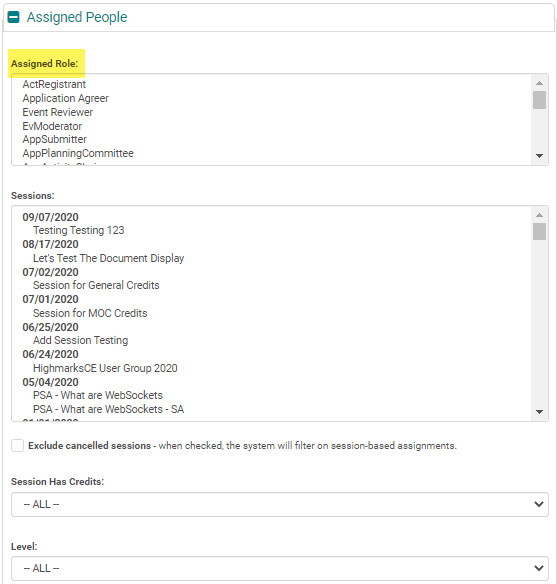
NOTE: Be sure to filter by the Assigned Role(s) and Activity or Event/Session before running the report
Related Articles
Document Reports
1. Session Documents Report: This report gives you downloadable links to the documents uploaded by Evroles from the Speaker Ready Room; or the documents uploaded under Sessions’ ‘Manage Document’ section by the Admin from the back end. Sessions > ...Event / Session Document Upload Reports
There are two reports you can run to find out the status of Event / Session Document Uploads (i.e., Handouts, Presentations, Materials, etc.): Go to Reports > People Click on the 'Documents Reports' section and select one of the two highlighted ...Application Reports
1. Application Status Report: This report has several filters to know the Application status at several stages like completed and/or reviewed and/or approved. Applications > Primary Reports > Application Status Report 2. Application Detail Score w/ ...Credit Reports
1. Activity Awarded Credit Summary (Activity must be selected): This report gives a list of people and the credits earned by them for the entire Activity People > Credit Reports > Activity Awarded Credit Summary 2. Credits Report: Use this report to ...New Reports Menu
Run Report Reports > Run Report Run Report is used to generate reports on HghMarksCE. All the report options are displayed in tabs titled as per their report outcomes. Saved Reports:List of reports generated and saved for further use. Reports saved ...