Add Quick Link Code / Vanity URL
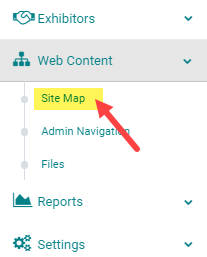
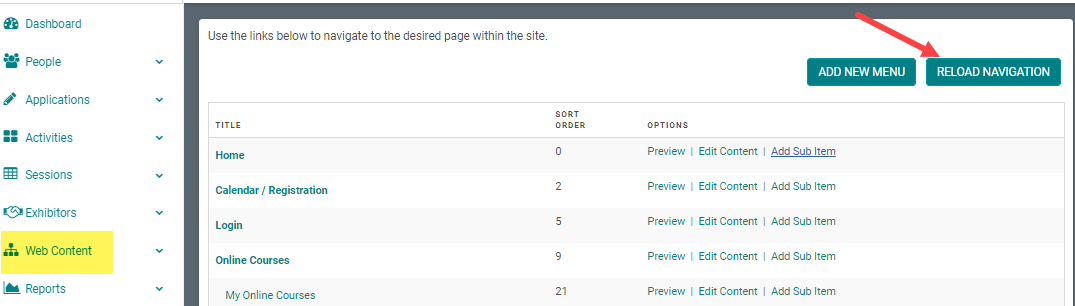
STEP 1: Go to Web Content > Site Map
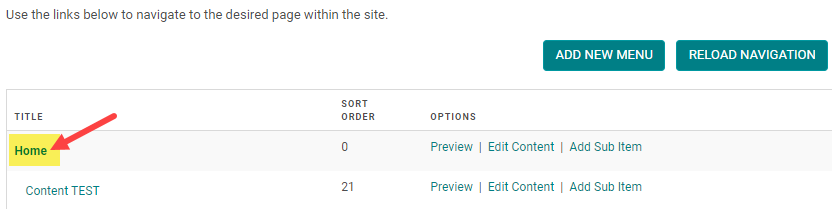
STEP 2: Click on the Title of the Menu you want to add a Quick Link Code / Vanity URL to (or click 'Add New Menu' to start from scratch - see related article on how to add a new menu)
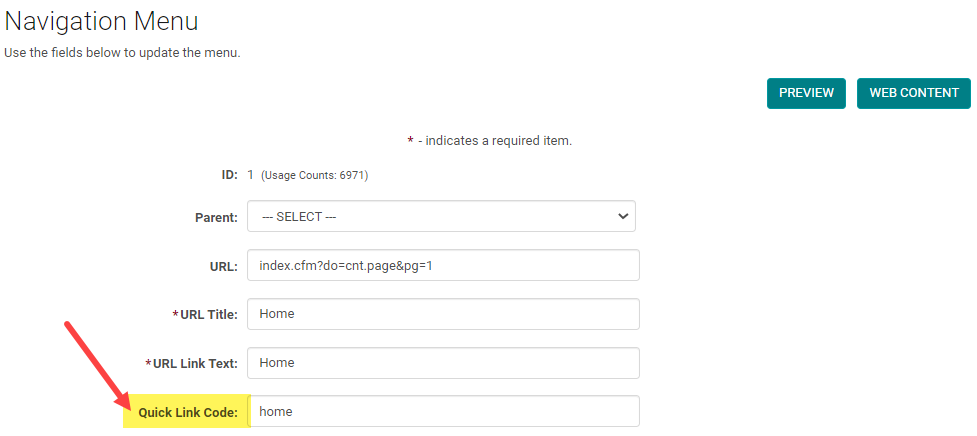
STEP 3: Enter the text and/or numbers you wish to display in the URL (underscores '_' may be used) and click 'Save.' NOTE: we do not suggest using spaces or special symbols as this may break your URL. URL's are not case sensitive.
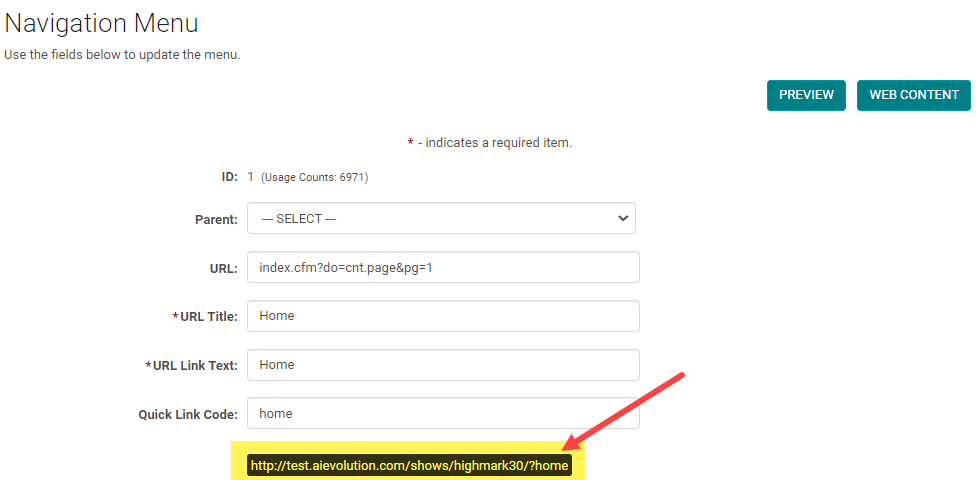
STEP 4: When the screen refreshes, you can copy and distribute the full URL for the menu. NOTE: You must click 'Reload Navigation' to activate your changes to the Menu. See next step.
STEP 5: Be sure to close the window and click 'Reload Navigation' on the Site Map to activate your changes to the Menu
Related Articles
Forms: Link to External URL
Application and Speaker forms can link to an external URL by following the below steps: Find the form you want to link to an external URL or create a new one. Click “Edit Form” Enter the URL in the “Form URL” field. Upon clicking the form name, the ...Forms: Link to External URL
Application and Speaker forms can link to an external URL by following the below steps: Find the form you want to link to an external URL or create a new one. Click “Edit Form” Enter the URL in the “Form URL” field. Upon clicking the form name, the ...Add a Document link to the Web Content
STEP 1: Go to Settings > Web Content > Files STEP 2: At the bottom of the page, select the 'Choose File' button STEP 3: Search your computer for the correct file and select 'Open' STEP 4: Select the 'Submit' button NOTE: check the 'Overwrite if file ...Add New Menu
Step 1: Go to Web Content > Site Map > Add New Menu Step 2: Complete Appropriate Fields and Click 'Save' Field Definitions: Parent – To be selected if you are creating a submenu. This will determine which main menu the submenu appears under. This can ...How to send Session Link for private Enduring Materials
If you want Enduring Materials sessions to to be accessed by a specific group of people, you could send them the Enduring Material Session URL via Email. The URL directs the users to the Enduring Materials' session where they get to view the material ...