People - Speaker - Ask Once Form Response Status Report
This report is to pull the status (complete or incomplete) of Forms flagged as Speaker Ask Once = Yes
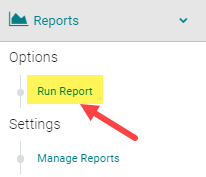
Go to Reports > People

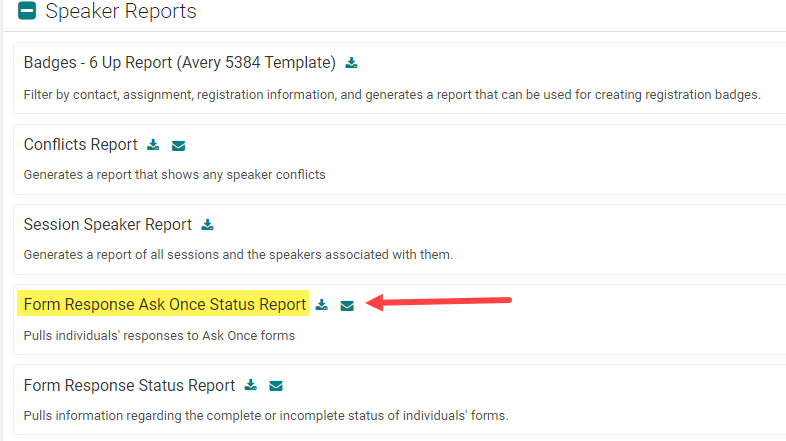
Under the 'Speaker Reports' header, click on the 'Select Criteria and Run' button below the 'Form Response Ask Once Status Report' title
STEP 1 - Select Filter Options
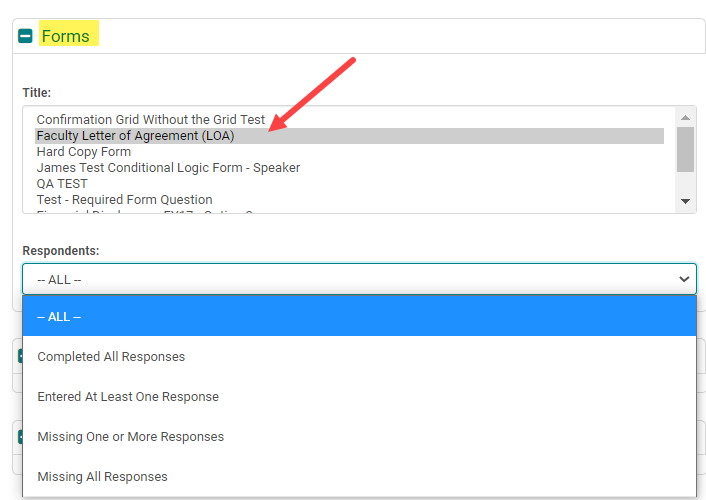
From the 'Forms' section, select the Form or Forms (using the 'Ctrl' or 'Shift' keys) you want to pull the status on.
Respondents:
-
ALL: you will see a '1' on the report for those who completed the form(s) and a blank field for those who have not completed the form(s)
-
Completed All Responses: use this to see who completed ALL of the forms selected
-
Entered At Least One Response: use this if selecting more than one form to pull who has completed one or more forms (1 = Completed, Blank = Not Completed)
-
Missing At Least One Response: use this if selecting more than one form to pull who is missing one or more forms (1 = Completed, Blank = Not Completed)
- Missing All Responses: use this to see who is missing ALL of the forms selected
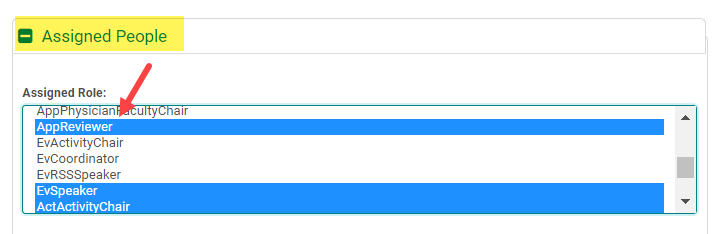
Assigned People > Assigned Role: select the Role(s) responsible for completing the Form(s)
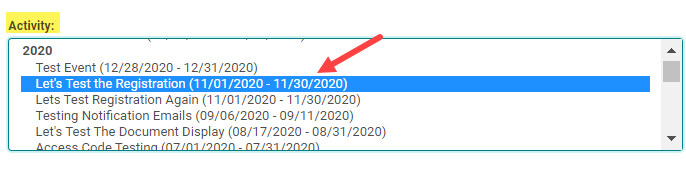
Assigned People > Activity: select the Activity to pull Speaker Forms for a specific Activity
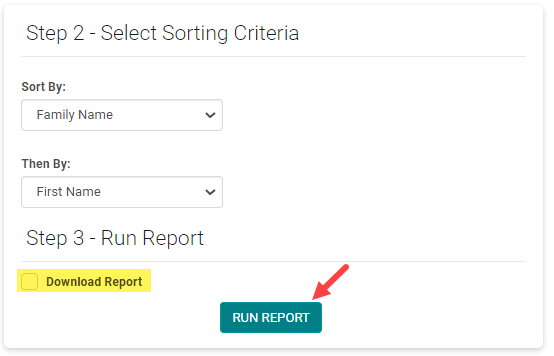
Step 3 - Run Report
Select the option to 'Download' the report, if needed. Then, click the 'Run Report' button
Related Articles
People- Speaker -Ask Many Form Response Status Report
This report is to pull the status (complete or incomplete) of Forms flagged as Speaker Ask Once = No. These forms are associated to each Event/Session a Speaker is assigned to. Go to Reports > People Under the 'Speaker Reports' header, click on the ...Speaker Form Reports
Form Response Ask Once Status Report - Select one or more forms - Select the roles meant to complete these forms - Select the Activity. This report gives a list of People assigned to the selected role on the Selected Activity. Completion status of ...Form Reports
PRIMARY FORMS REPORTS: 1. Respondents: Select the form -Responses not Given/Responses Given and the Assigned role. Note: Do not include the Activity/Event filter in this search. This report runs against an Ask Once Form and queries all the people ...Session Status Report
Session Status Report -Filter the report by activity or other session information to get the sessions you want. This report shows the status of the forms and document uploads for people assigned to sessions. The report is grouped by session. Run ...Edit Form Settings
To edit Form Settings, go to Settings > Forms Click on the Form Name (or click 'Add New Form' to build a Form from scratch) Click on 'Edit Form' Edit Form Definitions Form Type There are all kinds of different forms with different uses! The Most ...