Attendee Credit Claiming options through front end
Option 1: Claiming from the “My Credits” page
Click on “My Credits” tab

Select the Activity for which you wish to claim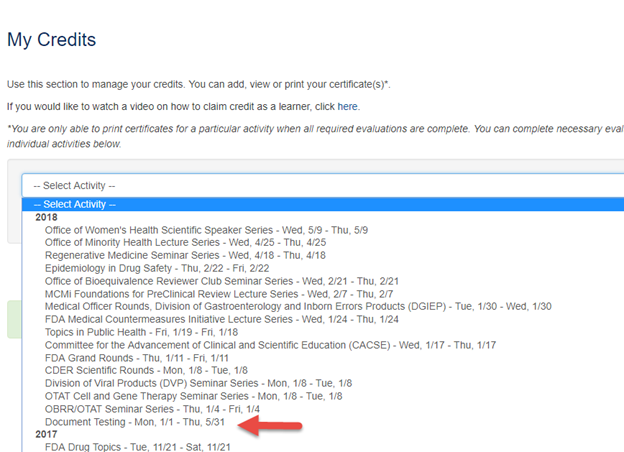
Click on “List Sessions by Activity”
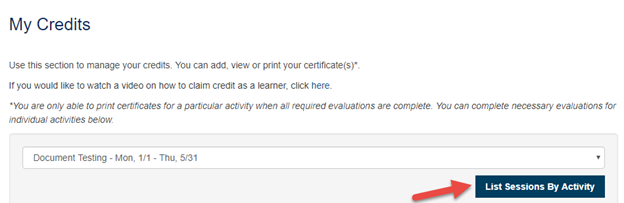
Click on “Claim Credits” or check the “Add New” box
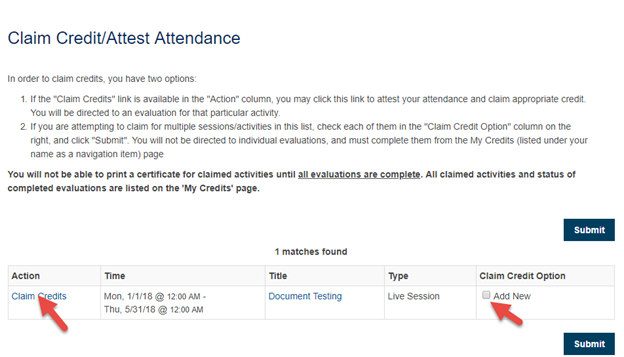
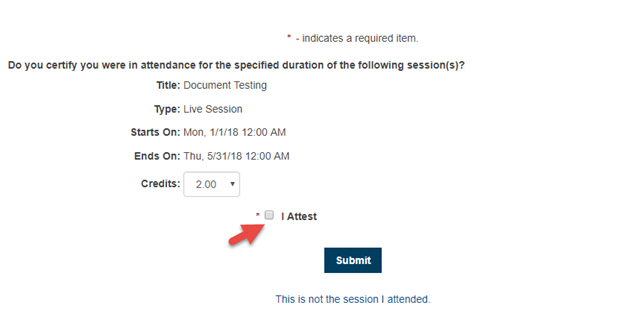
Check the “I Attest” box and click “Submit”
Attendee will be able to print the Certificate

Option 2: Claiming using Authorization Code
Authorization code is pre-set in the ‘CEU Authorization’ field on the Session page. This Authorization code is sent to attendes to be used while claiming credits.
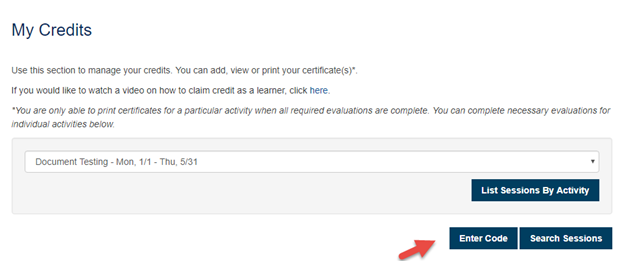
Click on “Enter Code” on the My Credits Page
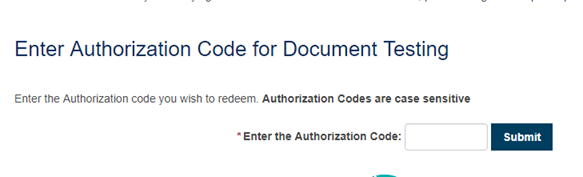
Enter the Authorization code
You will be able to claim credits by clicking the “Claim Credits” link

Option 3: Claiming through URL

The Claim Attendance URl is available on the Session page. This URL is sent to the attendee to claim credits.
The URL will take the attendee to the page as show below where the attendee would enter the required details and confirm his/her participation in the event by click the check box and submits it.
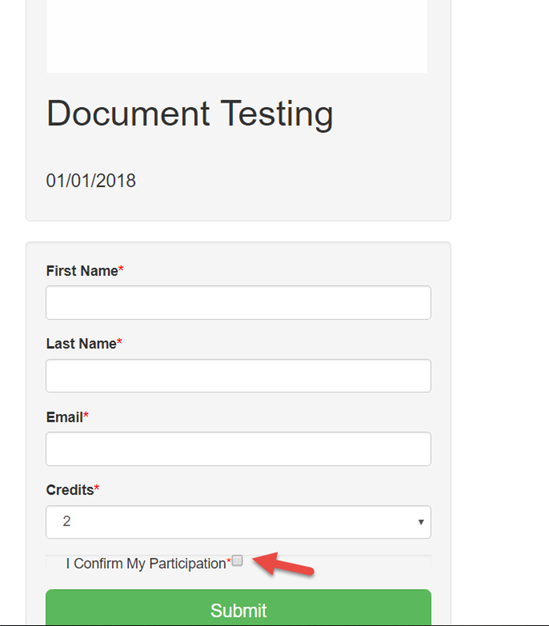
You would see the confirmation when the credits get successfully added to the attendee’s record.
Related Articles
Allowing Claiming Type add a Partial Credit
This setting only works if the end user is allowed to self-claim credits for Events/Sessions. The user will have the option to adjust their credit by .25 hour/credit intervals (up to the full amount allowed for the Event/Session) if they did not ...Allowing Claiming Type add a Partial Credit
This setting only works if the end user is allowed to self-claim credits for Events/Sessions. The user will have the option to adjust their credit by .25 hour/credit intervals (up to the full amount allowed for the Event/Session) if they did not ...Claiming Permissions/Product Set up
Claiming Permissions are useful when you want to restrict claiming to specific sessions. Claiming permissions are entered on the product page. You can add as many Registration products as you want and set different claiming permissions on each ...Claiming Permissions/Product Set up
Claiming Permissions are useful when you want to restrict claiming to specific sessions. Claiming permissions are entered on the product page. You can add as many Registration products as you want and set different claiming permissions on each ...How to Setup Credit Claiming deadlines for RSS /Grand Rounds
To close credit claiming for Regularly Scheduled Series (RSS) or Repeat Course after a specific number of days edit the 'Activity > Days After To Close Claiming' option. 1. Use the Activity 'Switch' or go to Activities > use the text search option or ...