Add Metadata for SEO
NOTE: Your Project Manager must have the Metadata feature set up when deploying your web site.
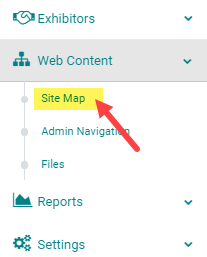
STEP 1: Go to Web Content > Site Map
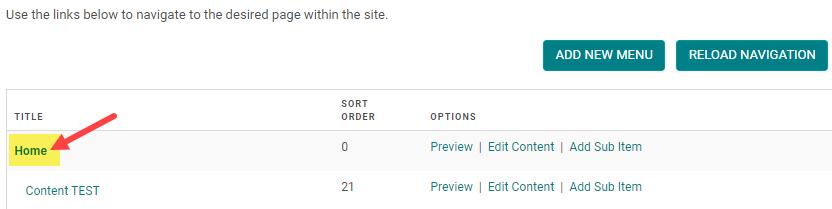
STEP 2: Click on the Title of the Menu you want to add Metadata to. (or click 'Add New Menu' to start from scratch - see related article on how to add a new menu)
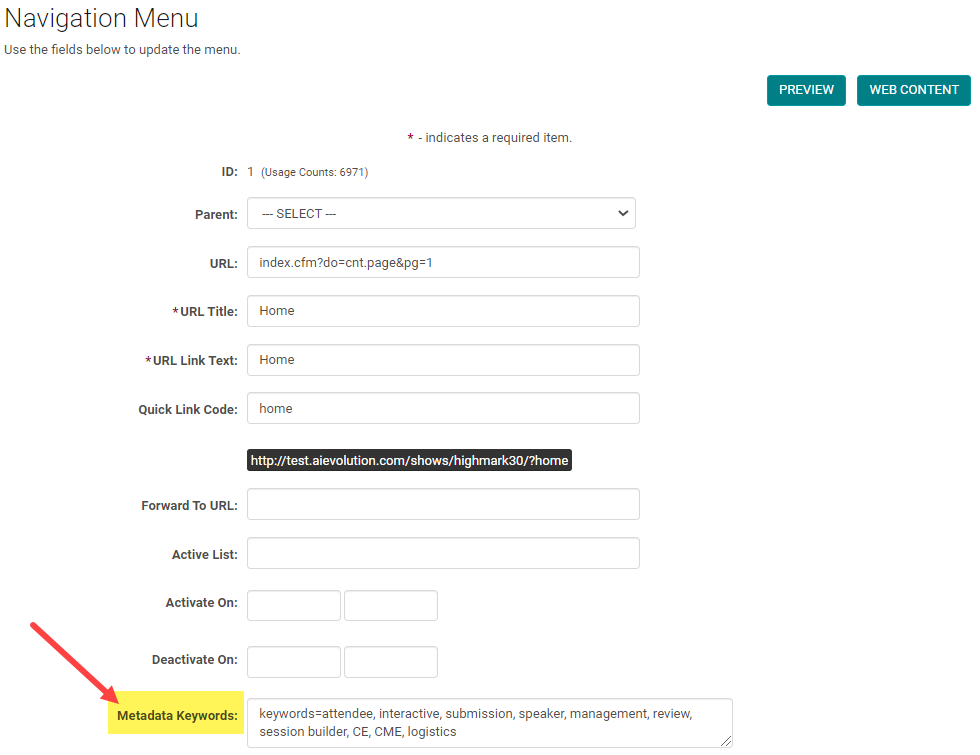
STEP 3: Enter keywords and a description in the 'Metadata' field, per the example below, and click 'Save.' NOTE: You must click 'Reload Navigation' to activate your changes to the Menu. See next step.
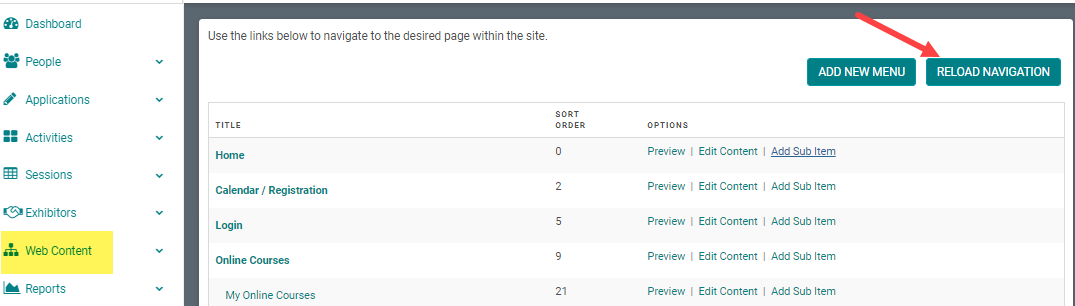
STEP 4: Be sure to close the window and click 'Reload Navigation' on the Site Map to activate your changes to the Menu
Related Articles
Add New Menu
Step 1: Go to Web Content > Site Map > Add New Menu Step 2: Complete Appropriate Fields and Click 'Save' Field Definitions: Parent – To be selected if you are creating a submenu. This will determine which main menu the submenu appears under. This can ...Add New Sub Item / Sub Menu
Step 1: Go to Web Content > Site Map > Add Sub Item Step 2: Complete the applicable fields and click 'Save' NOTE: The 'Parent' field is pre-populated with the Main Menu Title Navigation Menu Field Definitions: Parent – Select the parent menu item ...Add New Content Page
Step 1: Go to Web Content > Site Map > click 'Edit Content' next to the Menu Title you want to add content to -OR- Step 1: From the 'Edit Navigation' page, click 'Edit Content' Step 2: Click 'Add New Content' Step 3: Add the appropriate content and ...Add a New Person
Go to People > Add New Complete the required fields, any additional information, and click 'Save' NOTE: You do not need to enter a 'Username' or 'Password', the system will automatically create one when you click 'Save' Type = Role of the Person. Eg. ...Add New Session/Event
Note: Prior to adding a Session you need to add the Activity. Select the Activity you want to add a new Session/Event to using the Activity Switcher Go to Sessions (or Events) and click 'Add New' Field Definitions: Type = Select the type of the ...