Pre and Post Test Form Results Report
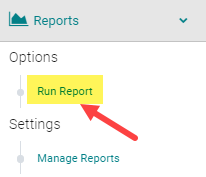
To pull the test results for users who submitted a Form Type = Pre or Post-Test, go to Reports > Forms

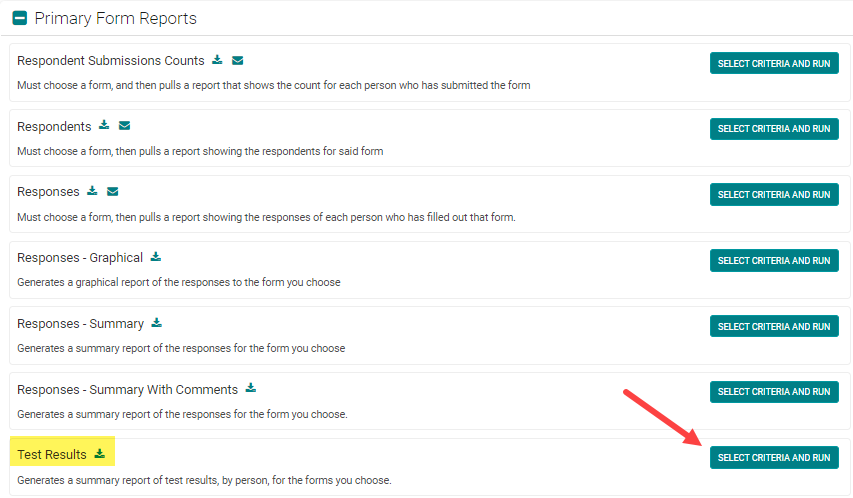
Under the 'Primary Form Reports' header, select the 'Test Results' report
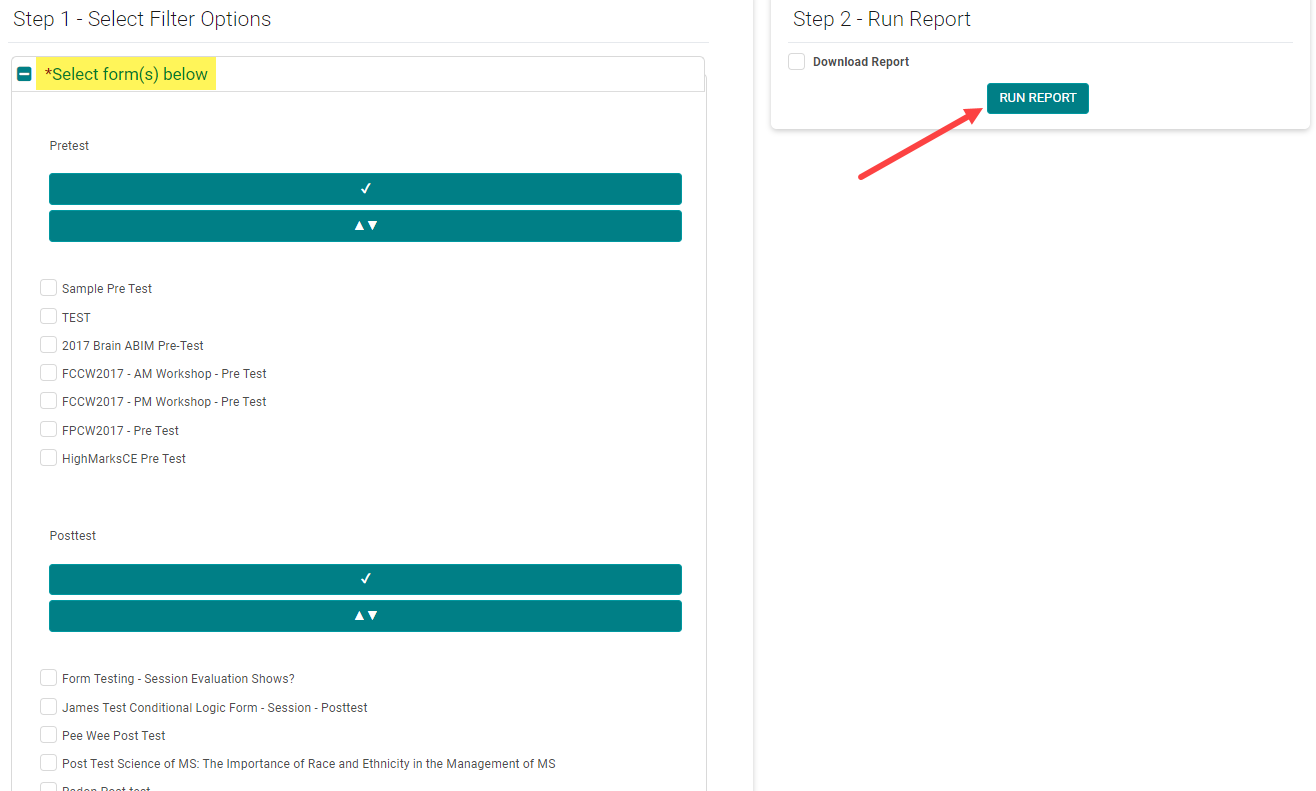
Select the appropriate Form(s) and click 'Run Report'
NOTE: Use the 'Results' filter to see users who have passed or failed ('Passing Weight' must be set up in the Form in order to pull these results). The 'Incomplete Attempt' option only applies to Enduring Materials Post-tests, where the user answered one or more test questions, but did not complete the test in full.
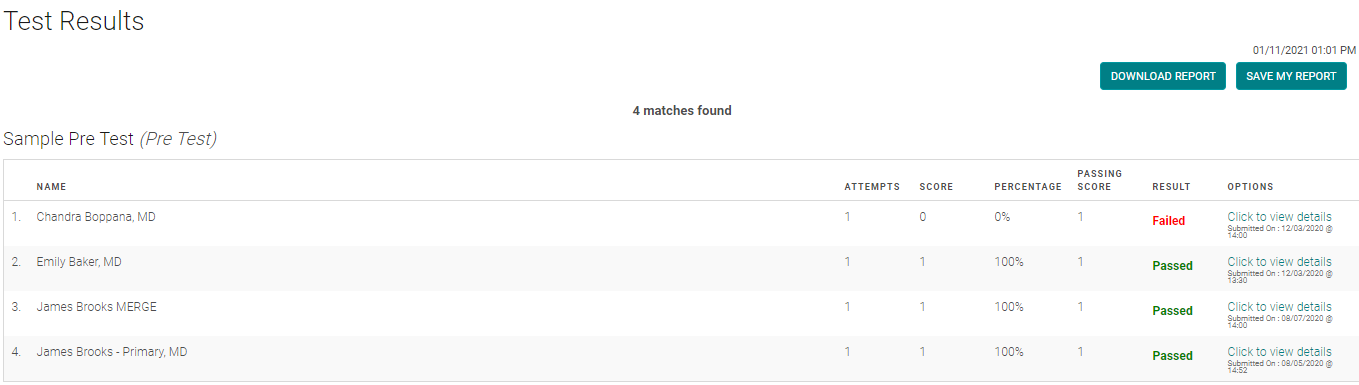
Sample results screen
Related Articles
Creating Pre and Post-Test Forms
Go to Settings > Forms Click the 'Add New Form' button or click on the type of the form as shown below. If you clicked on the 'Add New Form ' select 'Pretest or 'Post Test' From the 'Type' drop-down list Give a name to the form. Complete the ...Creating Pre and Post-Test Forms
Go to Settings > Forms Click the 'Add New Form' button or click on the type of the form as shown below. If you clicked on the 'Add New Form ' select 'Pretest or 'Post Test' From the 'Type' drop-down list Complete the following fields: Passing Weight: ...Reset Person's Test Attempts for Activity Pre and Post-Test
If a user fails all test attempts, you have the option to reset their attempts. Go to People > use the text search option or 'Advanced Search' to find the user you wish to reset the test attempts for From the 'Action' column, click on 'My Credits' ...Reset Person's Test Attempts for Activity Pre and Post-Test
If a user fails all test attempts, you have the option to reset their attempts. Go to People > use the text search option or 'Advanced Search' to find the user you wish to reset the test attempts for From the 'Action' column, click on 'My Credits' ...Reset Person's Test Attempts for Activity Pre and Post-Test
If a user fails all test attempts, you have the option to reset their attempts. Go to People > use the text search option or 'Advanced Search' to find the user you wish to reset the test attempts for From the 'Action' column, click on 'My Credits' ...