How an Admin Cancels Users Registration
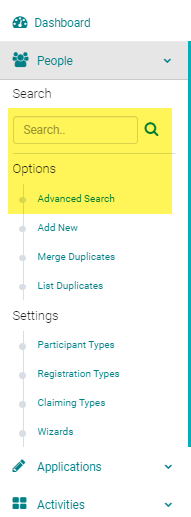
Go to People > use the search text box or 'Advanced Search' to find the person you need to cancel
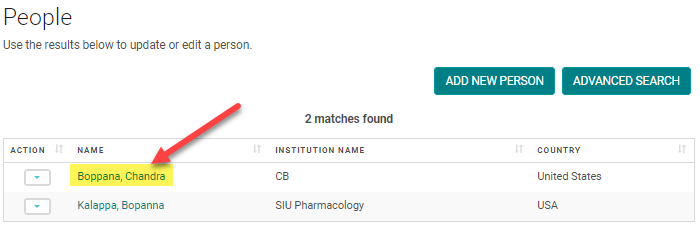
Click on the name of the person
Click on the 'My Orders' button

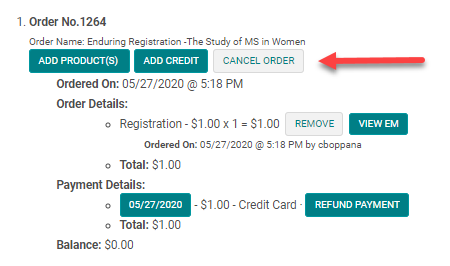
Click on the 'Cancel Registration' button for the appropriate order
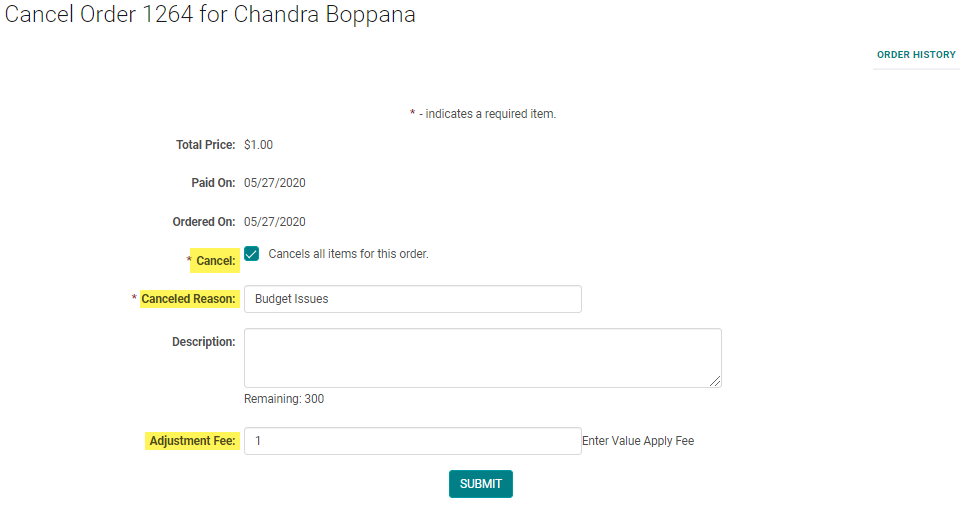
Enter the required fields and add an 'Adjustment Fee' (i.e., Cancelation Fee), if necessary. Click 'Submit' to continue.
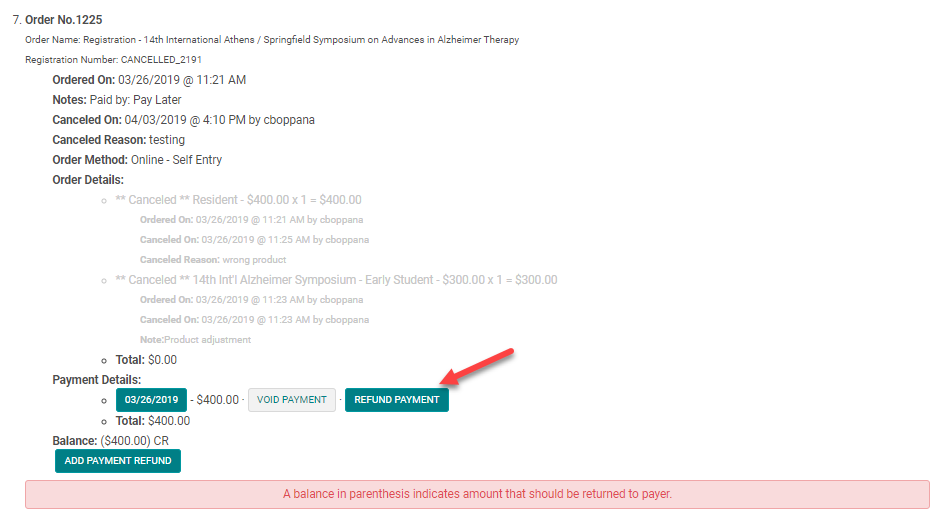
If payment was already applied to the order, you may need to refund the remaining balance.
Click on the 'Refund Payment' to process via the original method of payment. Ex. Credit cards
or
click on "Add Payment Refund" to choose other forms of refund.
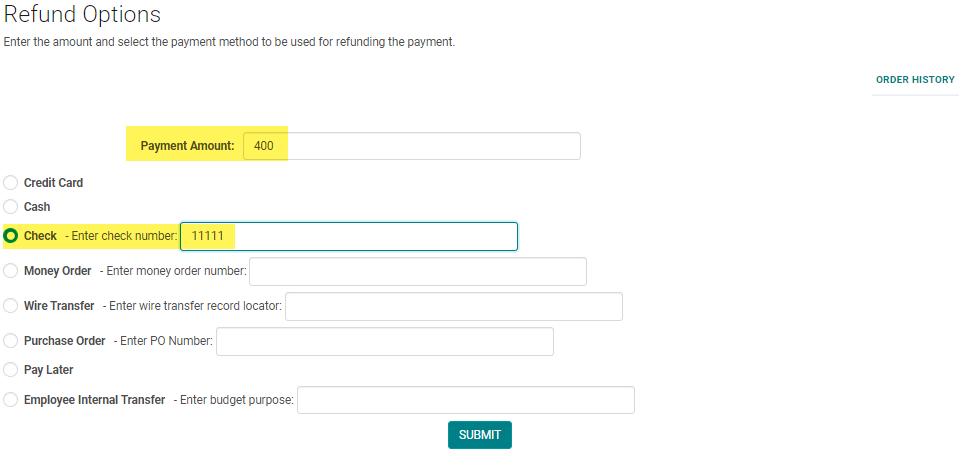
Enter the correct refund amount and payment method and click 'Submit'
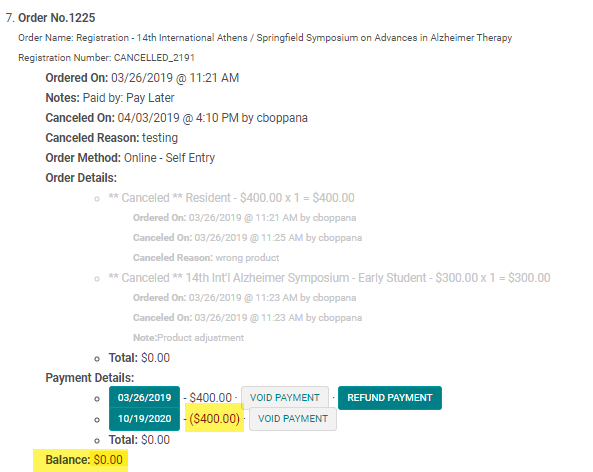
Confirm the refund was applied properly and the balance is zero
Related Articles
How a User Cancels their Registration
Before you proceed please read this article https://highmarksce.helpdocs.com/registration/enable-the-user-to-cancel-the-registration When the Admin enables self serve registration cancellation, users will be able to cancel their own registration. ...How an Admin Cancels Users Registration
Go to People > use the search text box or 'Advanced Search' to find the person you need to cancel Click on the name of the person Click on the 'My Orders' button Click on the 'Cancel Registration' button for the appropriate order Enter the required ...Enable the Users to Cancel their Registration
This functionality is turned on per client request. Please send your request to your Project manager. Enable the User to Cancel their Own Registration Follow the steps below to enable a user to cancel their own registration without needing to contact ...Registration Types
Registration types are used to categorize attendees. Exhibitor, Member, Non-Member, Student, Resident, Intern, Employee, Admin Staff etc are the typical Registration types. How to add Registration Types: On the Admin navigation menu click on ...How to Set-up Registration for Courses
Registration setup Check list: 1) Add the Registration types - Optional (Required if you have different registration products for each type and you want people to identify their type, which allows them to see the applicable products only) 2) Add the ...