CME settings for Activities are based on the 'Activity Type'
CME settings for Activities are based on the 'Activity Type'
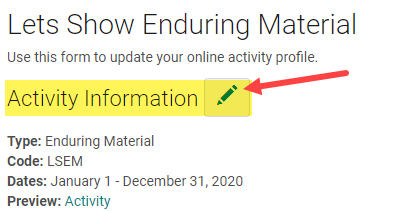
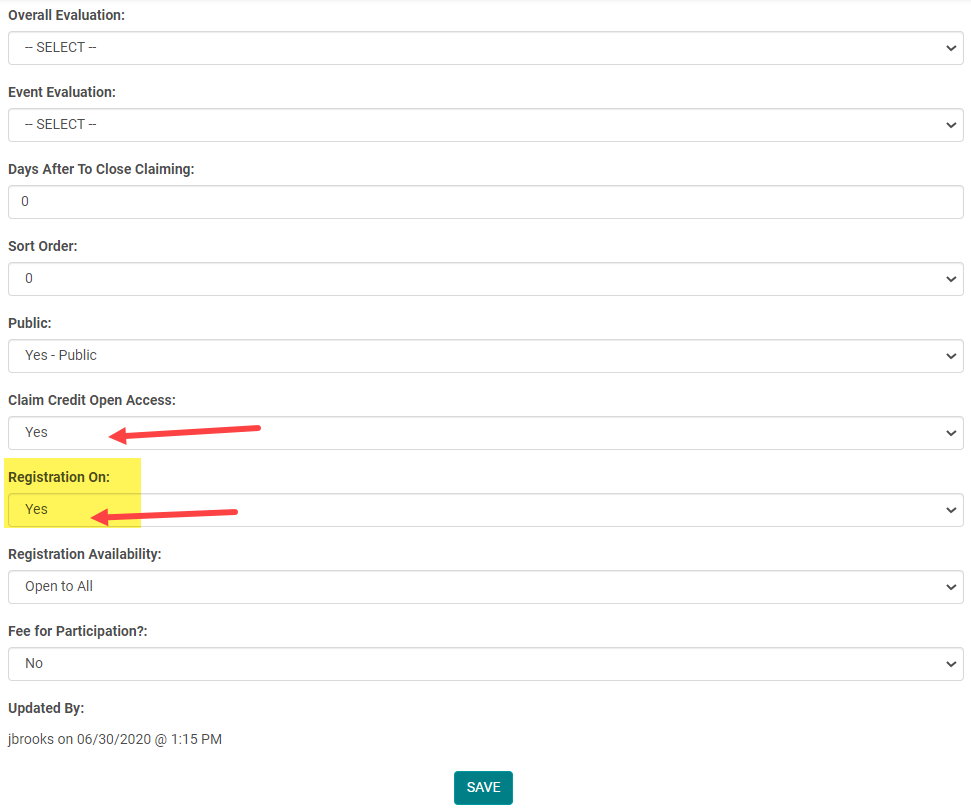
'Registration on' and 'Claim Credit Open Access' fields are located in the Activity > Edit Activity Information
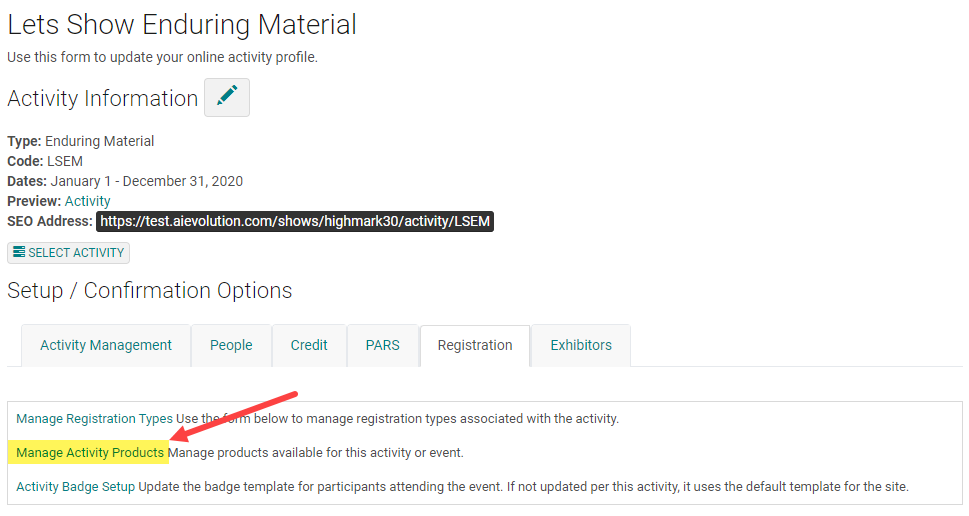
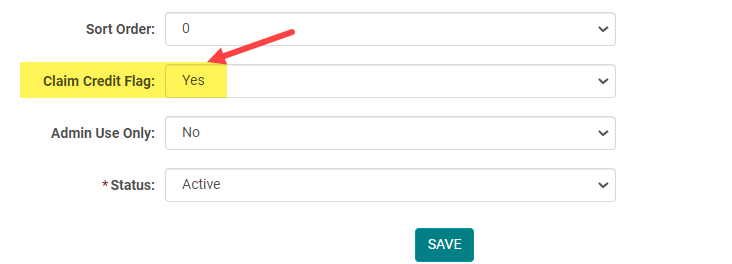
‘Product – Claim Credit Flag’ field is located in the Activity > Manage Activity Products > Edit Product
Related Articles
Edit Form Settings
To edit Form Settings, go to Settings > Forms Click on the Form Name (or click 'Add New Form' to build a Form from scratch) Click on 'Edit Form' Edit Form Definitions Form Type There are all kinds of different forms with different uses! The Most ...Edit Form Settings
To edit Form Settings, go to Settings > Forms Click on the Form Name (or click 'Add New Form' to build a Form from scratch) Click on 'Edit Form' Edit Form Definitions Form Type There are all kinds of different forms with different uses! The Most ...How to Claim CME /MOC/SAM Credits from a Session with MOC/SAM
Note: Activities that include CME and MOC Sessions provide the facility to claim CME Credits with or without MOC points. Also, if you "Check-In" Learners, to the main Session, they will be awarded the credit assigned to the main session and have the ...Ask Once per Activity Forms
Forms can be set to "Ask Once Per Activity" = Yes, meaning if a user is assigned multiple roles on an activity AND the form is assigned to those roles, they will only be required to fill out the form once. This will be enforced for application and ...Activity Types vs. Event/Session Types
Activity Type = Valid ACCME PARS activity formats (Course, Regularly Scheduled Series, Internet Live Course, Enduring Material, Internet Activity Enduring Material, Journal-based CME, Manuscript Review, Test Item Writing, Committee Learning, ...