PARS and JA-PARS Report Options
Detailed below are updates made to the ACCME reporting options. The below updates have been released in your test environment as of March 3, 2022. They will be released in your live environment March 7, 2022.
We recommend you review the activity filtering updates here, in conjunction with the below.
New ACCME Reporting Flow
When you navigate to Reports > Activities > ACCME Reporting, we have updated the options to a single PARS and JA-PARS report.

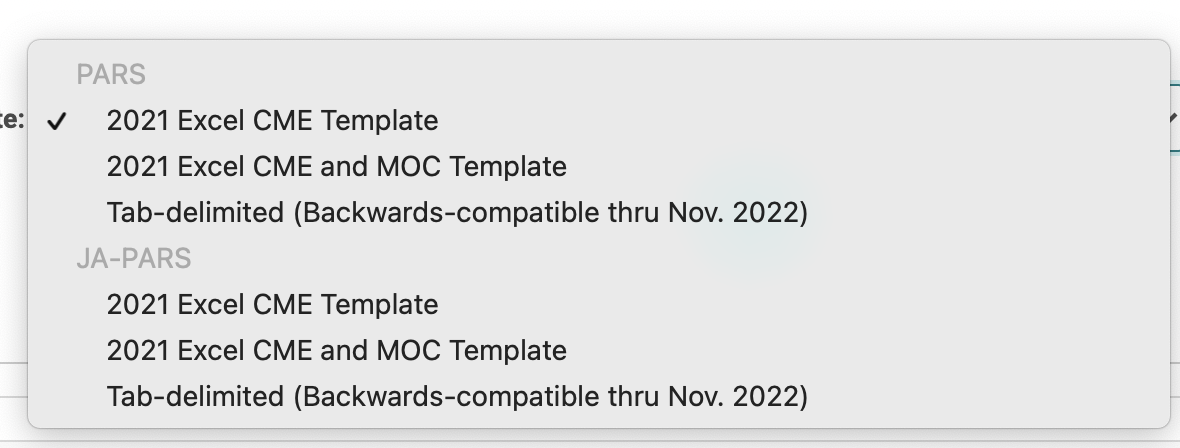
After clicking "Select Criteria and Run" you will come to a screen where you can select the template you want to use when generating your report. The template options will include:
- PARS Excel Templates for "CME" and "CME and MOC" (aligned with ACCME's November 2021 release)
- JA-PARS Excel Templates for "CME" and "CME and MOC" (aligned with ACCME's November 2021 release)
- PARS and JA-PARS Tab-delimited formats.
Note:
- Now that ACCME has released the excel templates to upload MOC registration data, we've decided to deprecate the XML report. This will no longer be an export option.
- You will only see the JA-PARS options if your site is configured for JA-PARS.
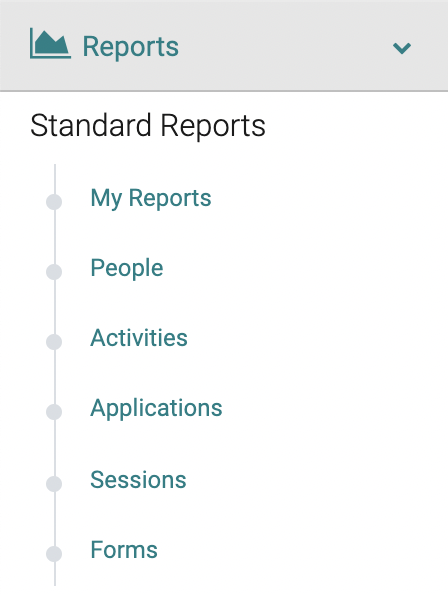
- Select sites have a different reporting flow. If your report drop down menu looks like this, you can find the PARS and JA-PARS Report under "Activities"
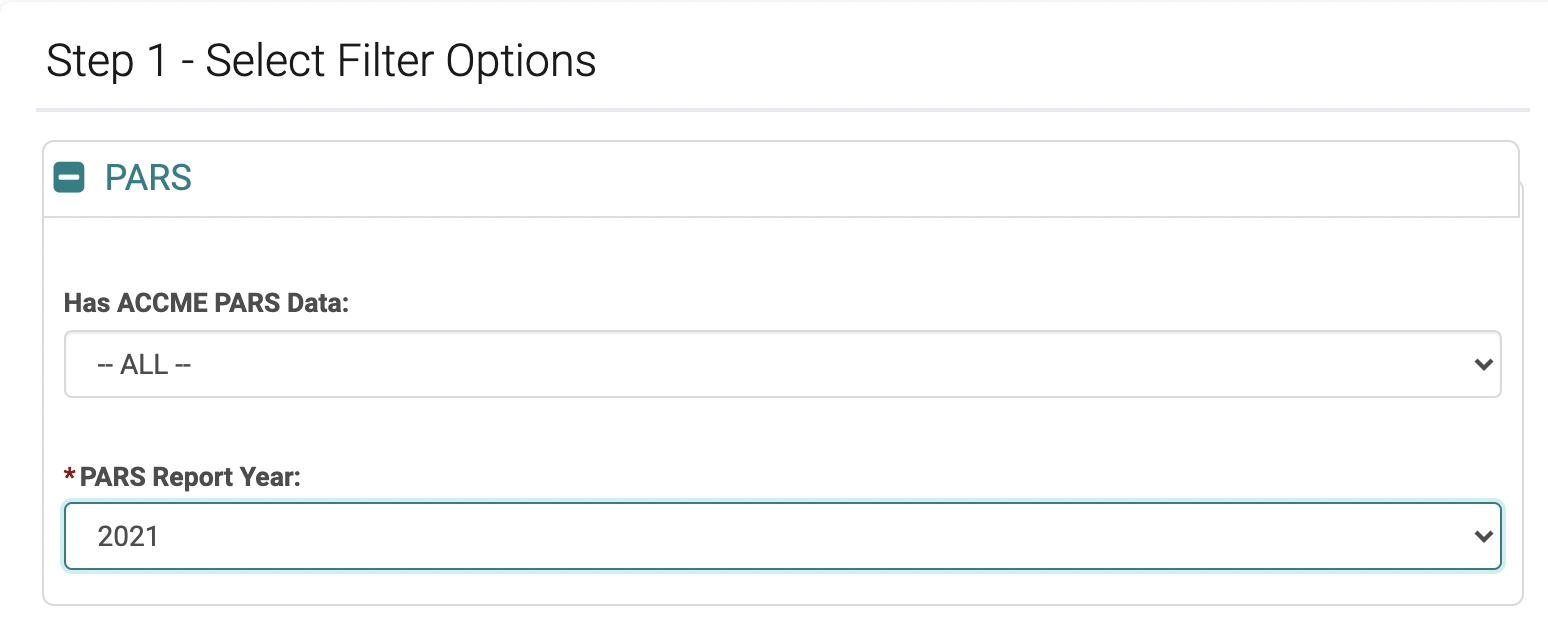
After selecting a template, you will go to a filtering screen. If you select Tab-delimited, you are required to select a PARS Report Year.
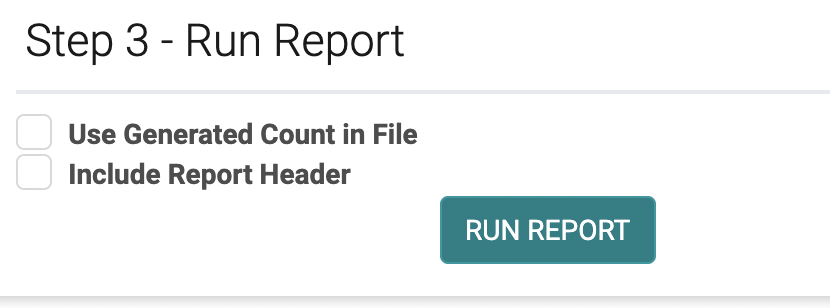
Under Step 3 - Run Report, you can select:
- Use Generated Count in File
- Include Report Header (applicable only to Tab-delimited)
The Tab-delimited report will always contain an excel file and will display the results on the screen.
Related Articles
PARS and JA-PARS Data Collection Updates
Below details the updates we are releasing to HighMarksCE to align with ACCME’s recent changes to the data you need to collect for PARS. The below updates have been released in your test environment as of March 3, 2022. They will be released in your ...Manage PARS
Note: Manage PARS tab has been updated to align with ACCME’s recent changes to the data you need to collect for PARS. Go to Activities > use the text search or 'Advanced Search' to find the Activity you need to update the ACCME PARS Reporting Year ...Manage PARS
Note: Manage PARS tab has been updated to align with ACCME’s recent changes to the data you need to collect for PARS. Go to Activities > use the text search or 'Advanced Search' to find the Activity you need to update the ACCME PARS Reporting Year ...March 2022 Release Notes
The below product updates are scheduled to go live March 7, 2022. Release notes for each update will be added here once it is available in your test environment. PARS and JA-PARS Data Collection Updates: To align with the PARS and JA-PARS updates ...Activity Search & Filter Options
Detailed below are updates made to the activity search and report filtering. The below updates have been released in your test environment as of March 3, 2022. They will be released in your live environment March 7, 2022. PARS-specific Filters ...