How Board Membership details are collected on the HighMarksCE
Back end Setup:
Add all the required Accreditation Boards to the site under Settings > Accreditation Bodies
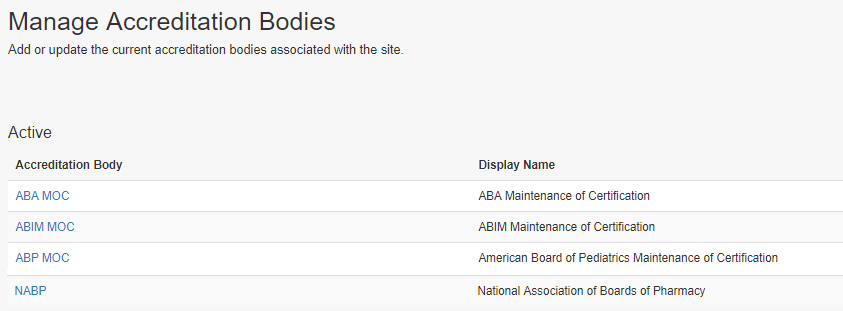
Set the rules for each of the boards with regards to the claiming types/Professions eligible for board certification and fields required to collect members’ board information.
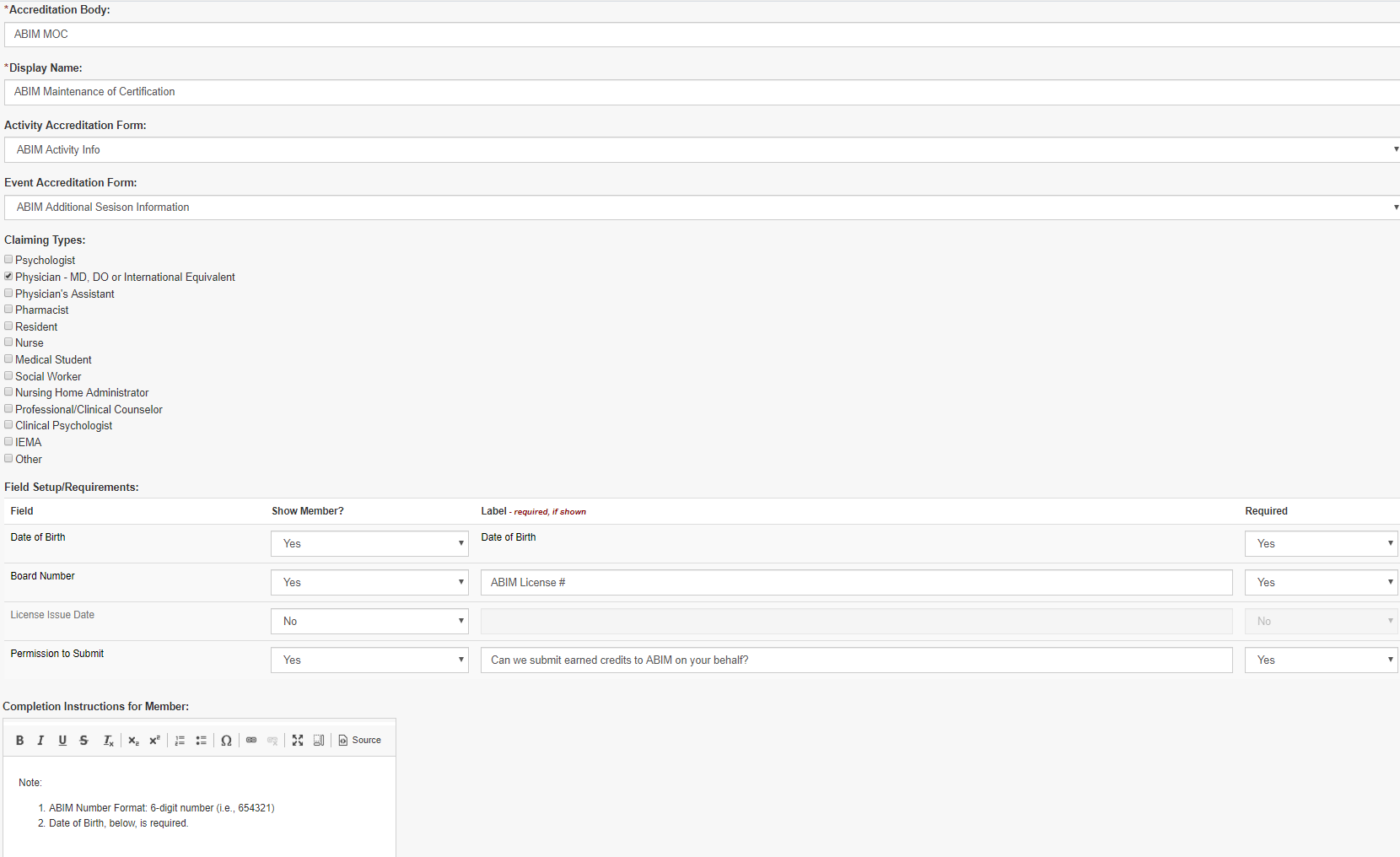
From the front end:
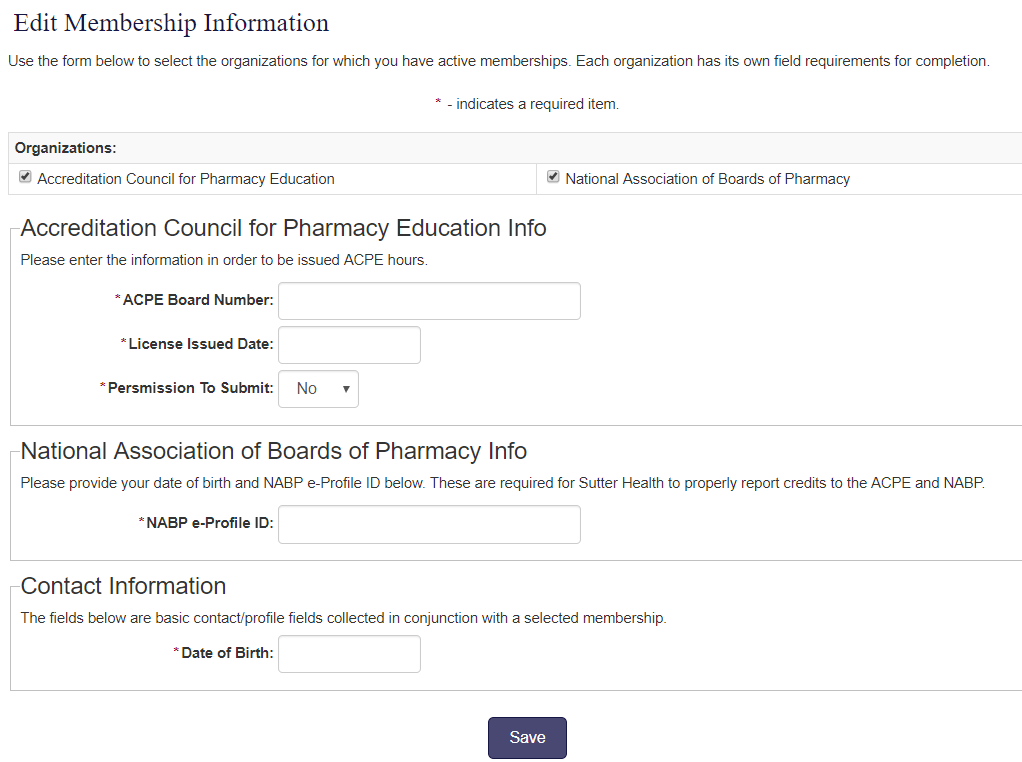
The front end user clicks on ‘Edit Membership Information’ on the Account page
Note: The label can be changed to suit client requirements.

Boards that match with the Claiming type/ Profession on a person’s profile will show for the user
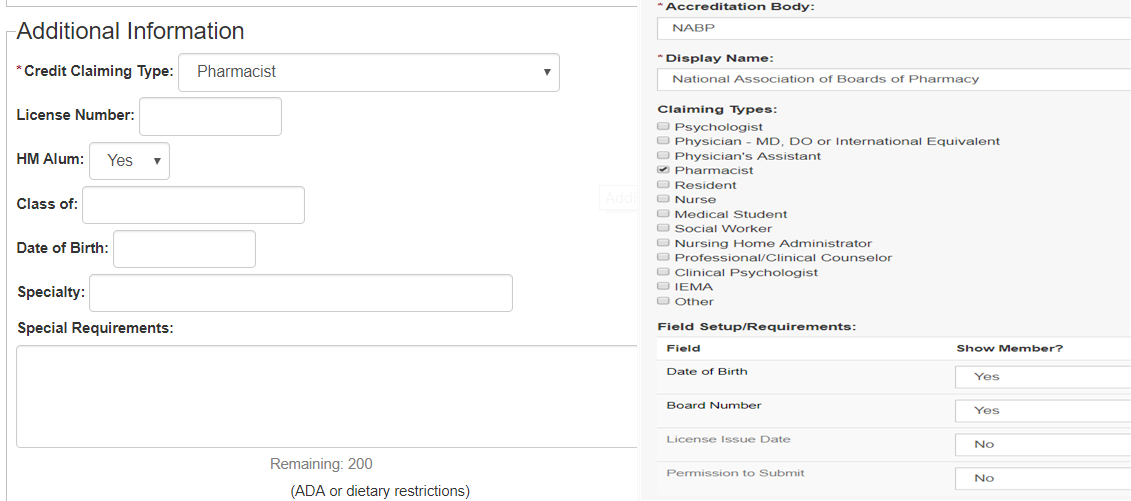
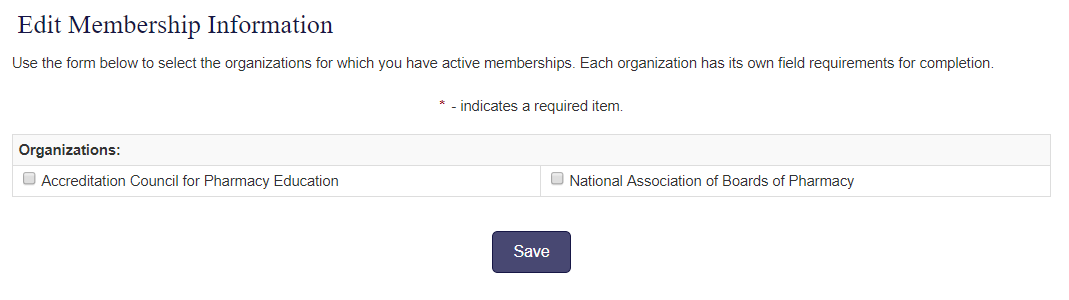
Users can check off the boards that they are associated with and enter the required information.
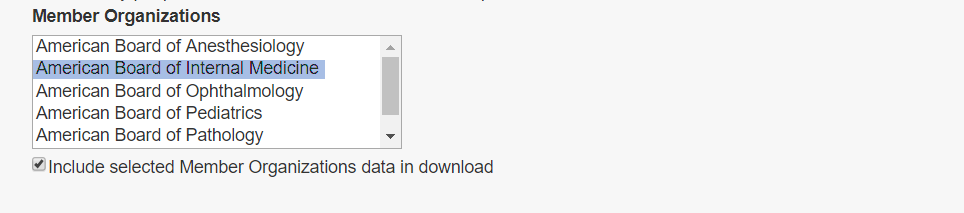
People > Credit Reports has the filters to include the selected Board information in the downloadable report.
The downloaded report has the learner information for the selected Board.

If the claiming type or profession changes, the selected boards and information will be kept and shown until they are removed from the Person’s Board Information page. Un- check the board that the person is no longer associated with and save the page.
Related Articles
Manage Activity Pages and Manage activity Preview Details
Go to Activities > use the search box or click 'Advanced Search' to find the Activity for which you want to Manage the Activity Pages. Click on the Name of the Activity From the Activity, click on the ‘Manage Activity Pages’ link Click on the ‘Add ...April 2022 Release Notes
The below product updates are scheduled to go live April 4, 2022. Release notes for each update will be added here once it is available in your test environment. Confirmation Data Grid Question: We've updated the confirmation data grid to be able to ...PARS and JA-PARS Data Collection Updates
Below details the updates we are releasing to HighMarksCE to align with ACCME’s recent changes to the data you need to collect for PARS. The below updates have been released in your test environment as of March 3, 2022. They will be released in your ...Form types
Here are the different kind of forms supported in HighMarks CE System. Application Submission: Forms uses on abstracts and Applications. These are completed as apart of Application Submission process. Activity Accreditation Info: Forms to collect ...March 2022 Release Notes
The below product updates are scheduled to go live March 7, 2022. Release notes for each update will be added here once it is available in your test environment. PARS and JA-PARS Data Collection Updates: To align with the PARS and JA-PARS updates ...