Email Username and Password / Credentials
User triggers an email for resetting their password
Instruct users to click on the 'Get it now!' link on the appropriate sign in page to retrieve their sign in credentials
Users will be prompted to enter their First Name, Last Name, and Email. This Email should match with the email on their account.
Admin triggers the password reset email
OPTION 1:
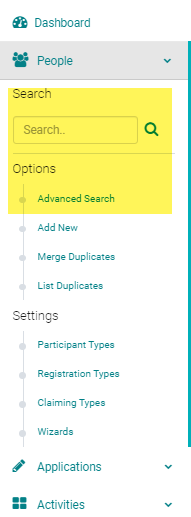
From the Admin, hover over the 'People' menu and search for the user who needs their sign in credentials emailed
From the search results page, click on the action menu and click on 'Send Password Reset'

OPTION 2:
Click on the name of the person. In the edit profile screen, click on the the 'EMAIL CREDENTIALS' button.

OPTION 3:
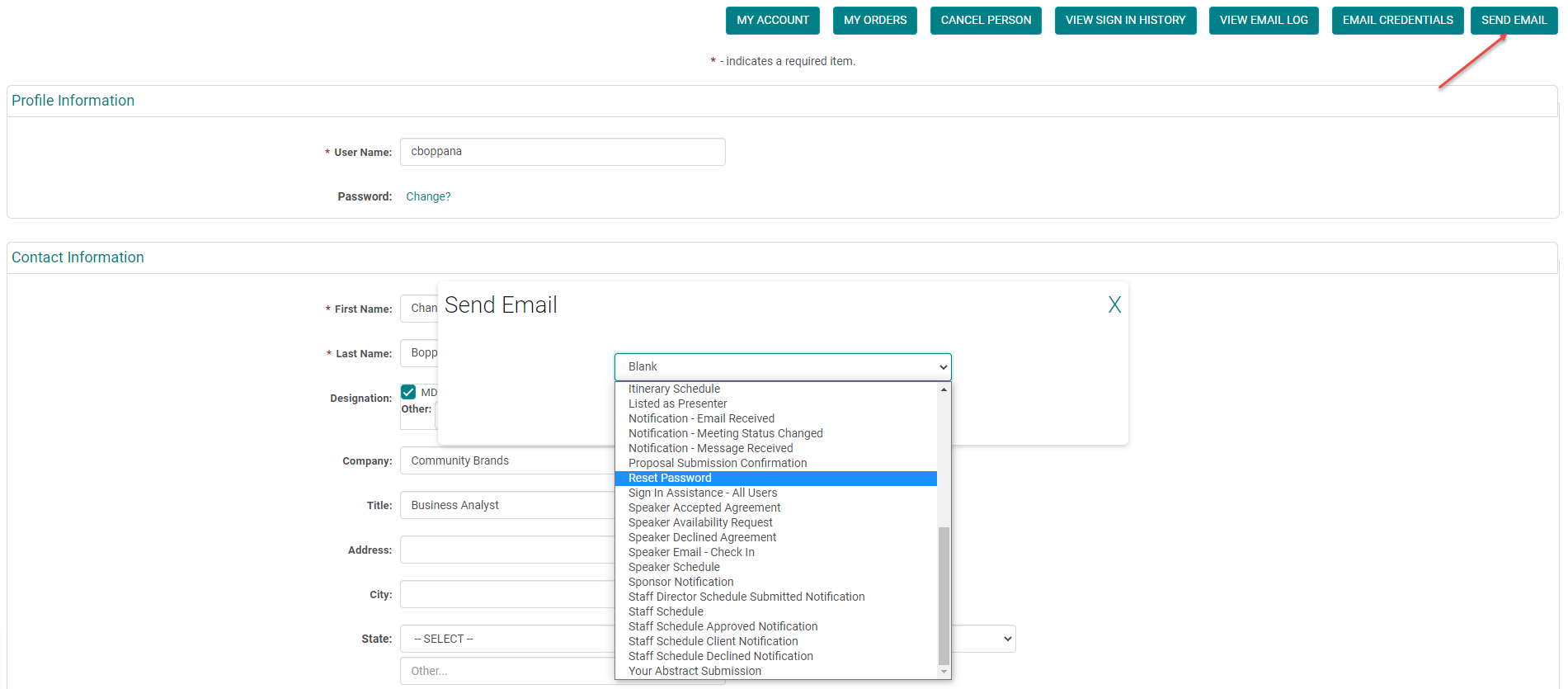
Click on the name of the person. In the edit profile screen, click on the the 'SEND EMAIL' and from the drop-down list select the appropriate email to send user credentials
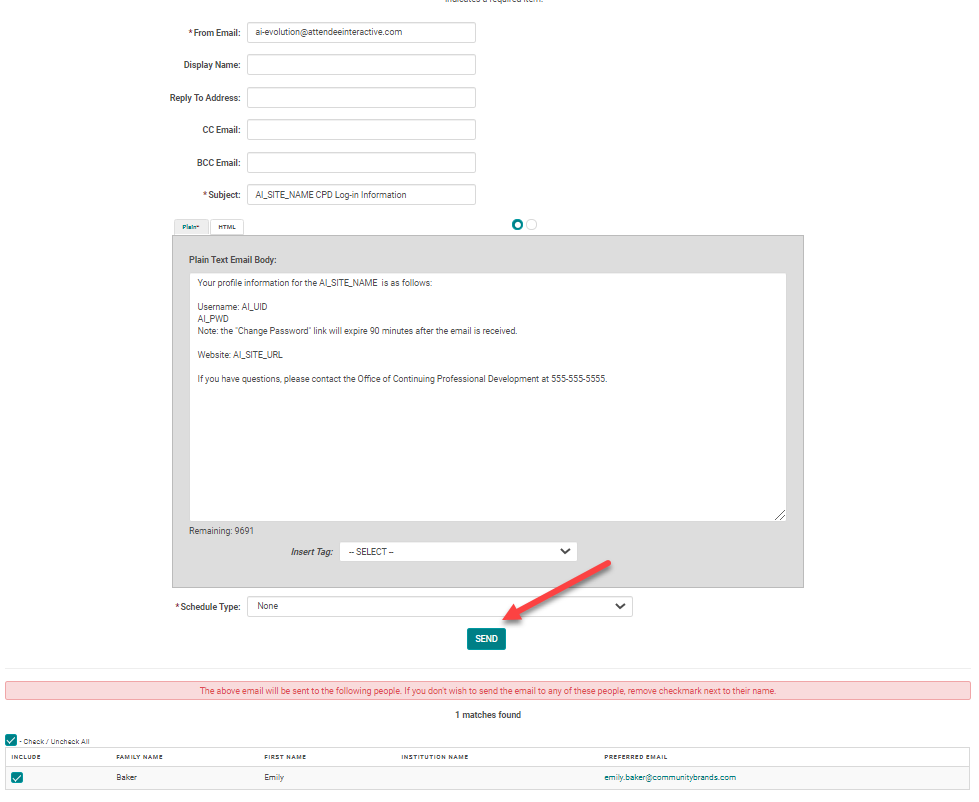
Review the email and recipients before clicking 'Send'
Click 'OK' to send the email
- All of the above options send an email to the user. This email contains a link to reset their password. The link in the password reset emails expires after 90 minutes.
- Any emails containing the AI_UID (Username) and/or AI_PWD (Password) email tags will not CC or BCC other recipients for security purposes. New users will be sent a temporary password and returning users will be sent a link to reset their password.
Related Articles
Email Username and Password / Credentials
User triggers an email for resetting their password Instruct users to click on the 'Get it now!' link on the appropriate sign in page to retrieve their sign in credentials Users will be prompted to enter their First Name, Last Name, and Email. This ...Forgot Password Logic
Forgot Password Logic Last modified on Wed, 7 Oct 2020 The 'Forgot Password' logic is as follows: Attendees (i.e., Credit Claiming Only) and Speakers (i.e., anyone with an 'Assigned Role'): Check the Email Address: 1 account matches- send email ID = ...Forgot Password Logic
Forgot Password Logic Last modified on Wed, 7 Oct 2020 The 'Forgot Password' logic is as follows: Attendees (i.e., Credit Claiming Only) and Speakers (i.e., anyone with an 'Assigned Role'): Check the Email Address: 1 account matches- send email ID = ...Email Tags
Download the attached excel file to view how each email tag is used and defined.Sending Auto email from the Claiming and the Manage Attendance App
If your site uses the Claiming Attendance App or Manage Attendance App to check in attendees, we have added a functionality that will send a notification email to attendees upon check-in. This emails allows you to send information/instructions on ...